R3.1_v1.2
66/76
Expert Mode
User Manual MDM3X00
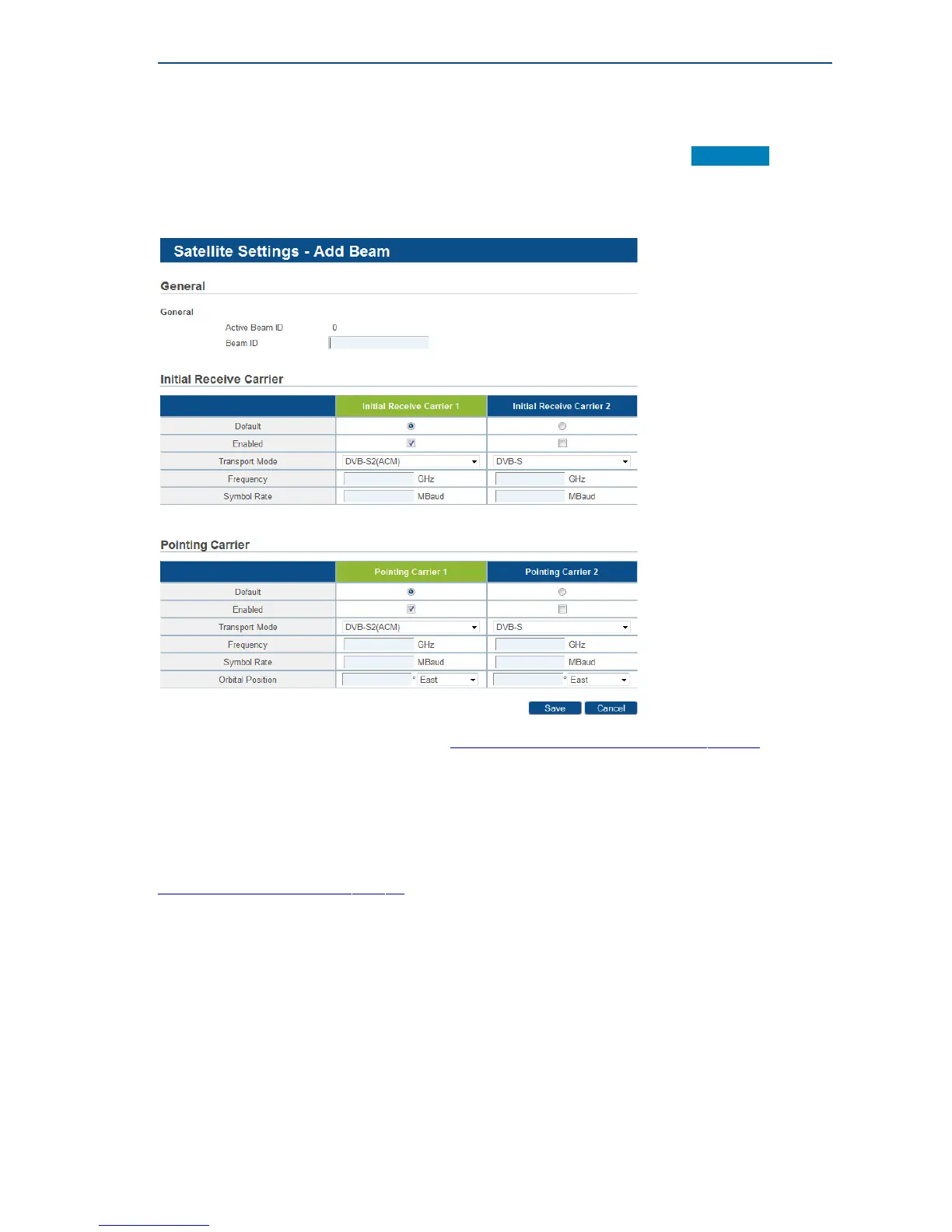
5.2.1.3 Satellite Configuration - Add a Beam
If you want to define other beam settings than the one signaled from the hub, click Add Beam .
Typical use case for this feature is when for some reason the preconfigured beam settings are no
longer valid, preventing the modem from gaining access to the network. This feature allows an
installer to add another beam with corrected settings.
» Enter the settings as described in section TheParametersoftheSatelliteInterfaceonpage34.
5.2.1.4 Edit or Add Outdoor Unit parameters
Editing or adding an Outdoor Unit configuration can be disabled by your Network Operator
in normal mode.
In Expert mode, editing or adding an ODU is always possible. Please refer to section
AddOutdoorUnitParametersonpage47.



 To Next Page