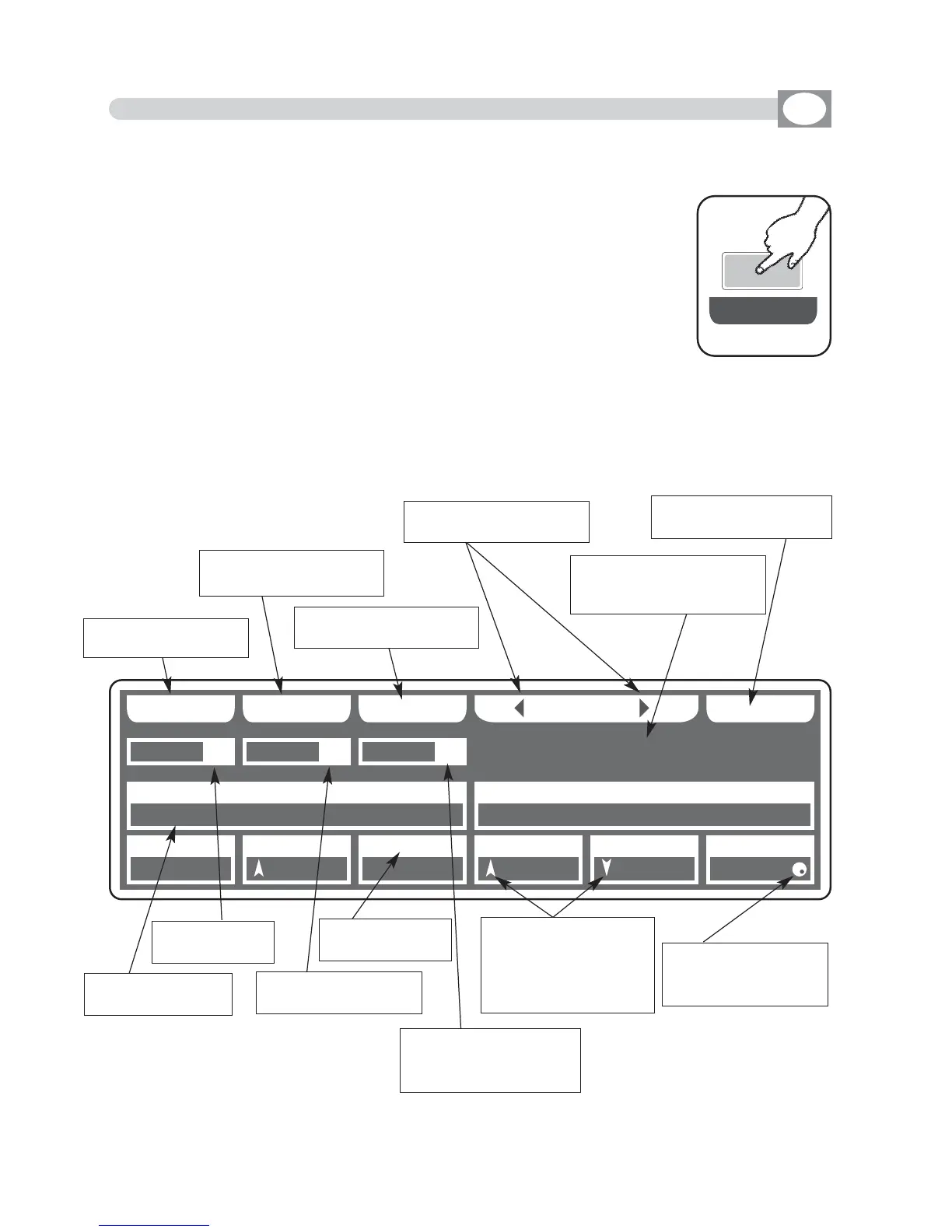
4.3 EDIT IN SCENE MODE
GB
The graphic display indicates the scene (
hhiigghhlliigghhtteedd
) currently active
(Fig. 2 par
44..11
)
to create/modify it press the
EDIT
key (Fig. 3).
The display changes as shown in (Fig. 4).
THIS FUNCTION ALLOWS TO EDIT ONE OF THE 48 SCENES OF THE ACTI-
VE PROGRAM.
Fig. 3
EE DD II TT
PPRROOGG
SS AA VV EE UU NN DDOO MM AA SS KK
006600
009900 007700 002200 225555 000000 225555
114400 225555
UU NN II TT SS EE LL EE CC TT
0011
SSCCEENN
0022
UUNNIITT
0011
PPAANN TTIILLTT CCOOLLOOUURR
005500 000000 110000
CCYYAANN MMAAGGEENNTTAA YYEELLLLOOWW
DDIIMMMMEERR SSHHUUTT//SSTTRR ZZOOOOMM MM--SSPPEEEEDD CCOOLL..MMOODDEE CCOOLLOOUURR 22
SS GG MM GG II OO TT TT OO WW .. 44 00 00
Fig. 6
Key to save the scene
Key to go back to the
saved scene
key to mask determined
channels
select the units to
modify
Shows name of the unit,
if more than one shows
“
NNNN UUNNIITTSS””
Unit selection see par
44..44
Shows the DMX
channel value
Shows the acti-
ve program
Shows the scene in
modification
Shows the name
of the channel
Indicate that the faders
aren’t in the position of
the value, keep it in the
sense of the arrow to
catch the value
Indicate the unit from
which are taken the
channels
Indicate that the value
can be modified with
the encoder



 To Next Page