4.4 SELECT IN EDIT SCENE MODE
GB
ALL
Key
:
Press this key to select all the units previously assign to the program, it isn’t
possible select unit if not active in the program.see par. 5.2
.
Pressing this key the display shown “
NNNN UUNNIITTSS
”, the DMX control channels will
taken from the unit shown in the box
UUNNIITT ....
SOLO
Key
:
Press this key to select only the unit shown in the box
UUNNIITT ....
, if we have
selected with the
AALLLL
key all the
4488
unit, and we wants to change the value of
the unit channels (es. n°
0022
)
,,
press
twice
the key
0022
of selection unit. The unit
box will indicate
UUNNIITT 0022
now the
SOLO
key unselect all the other unit, acti-
vating
SOLO
the
UUNNIITT 0022
DONE
Key
:
Pressing this key you confirm the selection of the unit see par. 4.5.
PPRROOGG
AA LLLL SS OO LLOO
MM AA RR RR OO BB OO CC OO LL OO RR II II XX
RROOBBOOCCOOLL II
MMAARR CCPP
GGIIOOTTTTOO WW.. SSUUPPEERR SSCCAA
SSGGMM
DD OO NN EELL OO CC AA TT EE
0011
SSCCEENN
0022
UUNNIITT
0011
00220011 0033 0044 0055 0066
0077 0088 0099 1100 1111 1122
To activate the
multiple selection of the unit
press the
SELECT
key (
Fig. 4 par
44..33
).
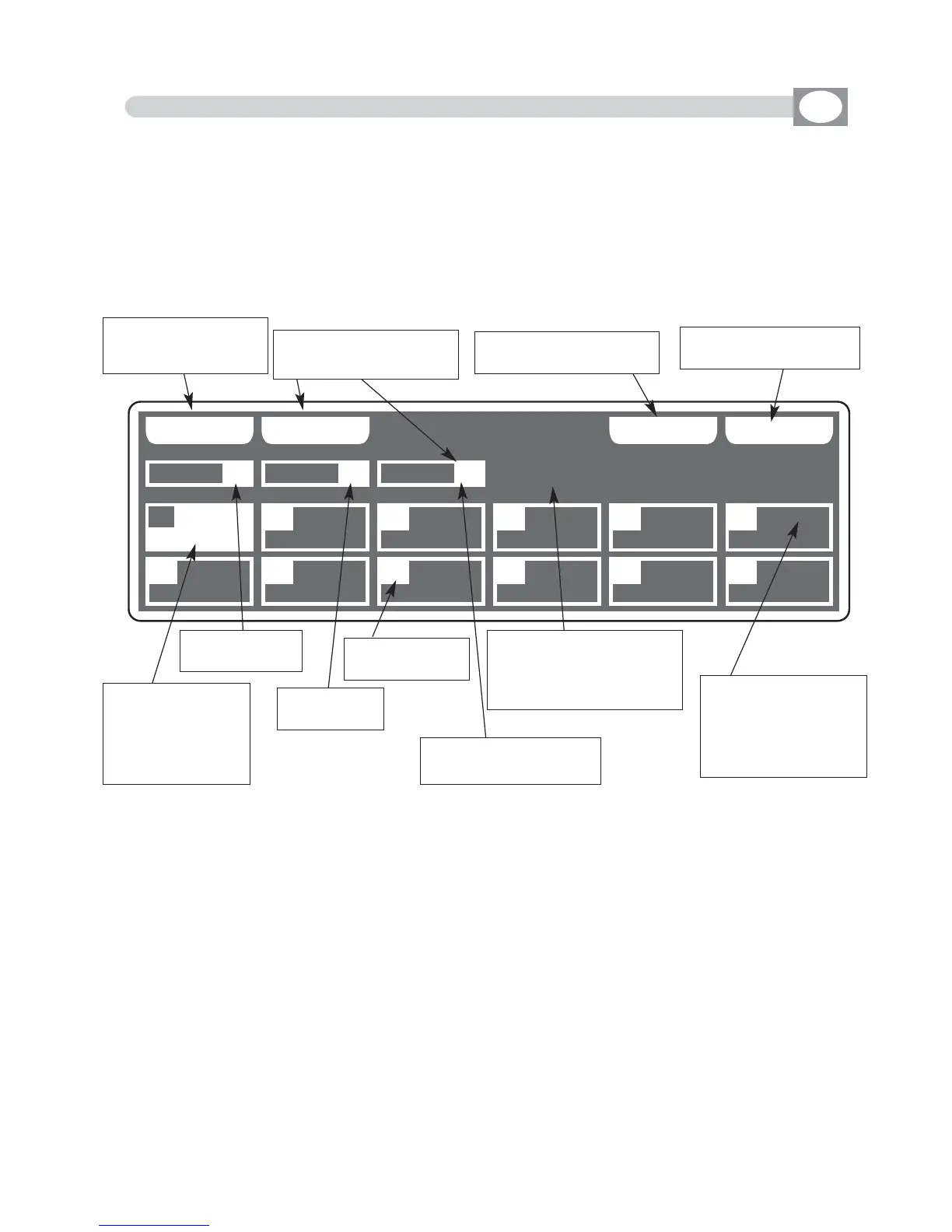
The display changes as shown in (Fig. 5).
THIS FUNCTION ALLOWS TO SELECT ONE OR MORE UNIT OF THE ACTIVE
PROGRAM.
Press one of the 1÷12 keys to ativate one or more the unit.
To successive units use the
PPAAGGEE
key
Fig. 5
Key to select all the
active unit of the pro-
gram
Key to select only the
unit shown on
UUNNIITT
Key to locate the selec-
ted unit
Key to confirm the
selection see par
4.5
Shows short name
of the unit previou-
sly loaded from
internal library
see par.
10.6
Shows the acti-
ve program
Shows the
active scene
Indicate the
number of unit
Indicate the last selec-
ted unit see par
4.4
Shows name of the unit,
if are more of one it
Shows “
NNNN UUNNIITTSS””
empty box indicate
that no unit loaded
from internal library
see par.
10.6



 To Next Page