CCHHAASS
SS AA VV EE UU NN DDOO MM AA SSKK
006600
009900 007700 002200 113355 000000 225555
114400 225555
PP AA GG EE 33 PP GG
0011
SSTTEEPP
0022
CCHH 000011..0011 CCHH 000022..0011 CCHH 000033..0011
005500 000000 110000
CCHH 000044..0011 CCHH 000055..0011 CCHH 000066..0011
CCHH 000077..0022 CCHH 000088..0022 CCHH 000099..0022 CCHH 001100..0022 CCHH 001111..0022 CCHH 001122..0022
DD II MM MM EE RR SS 00 00 11 --:: 00 11 22
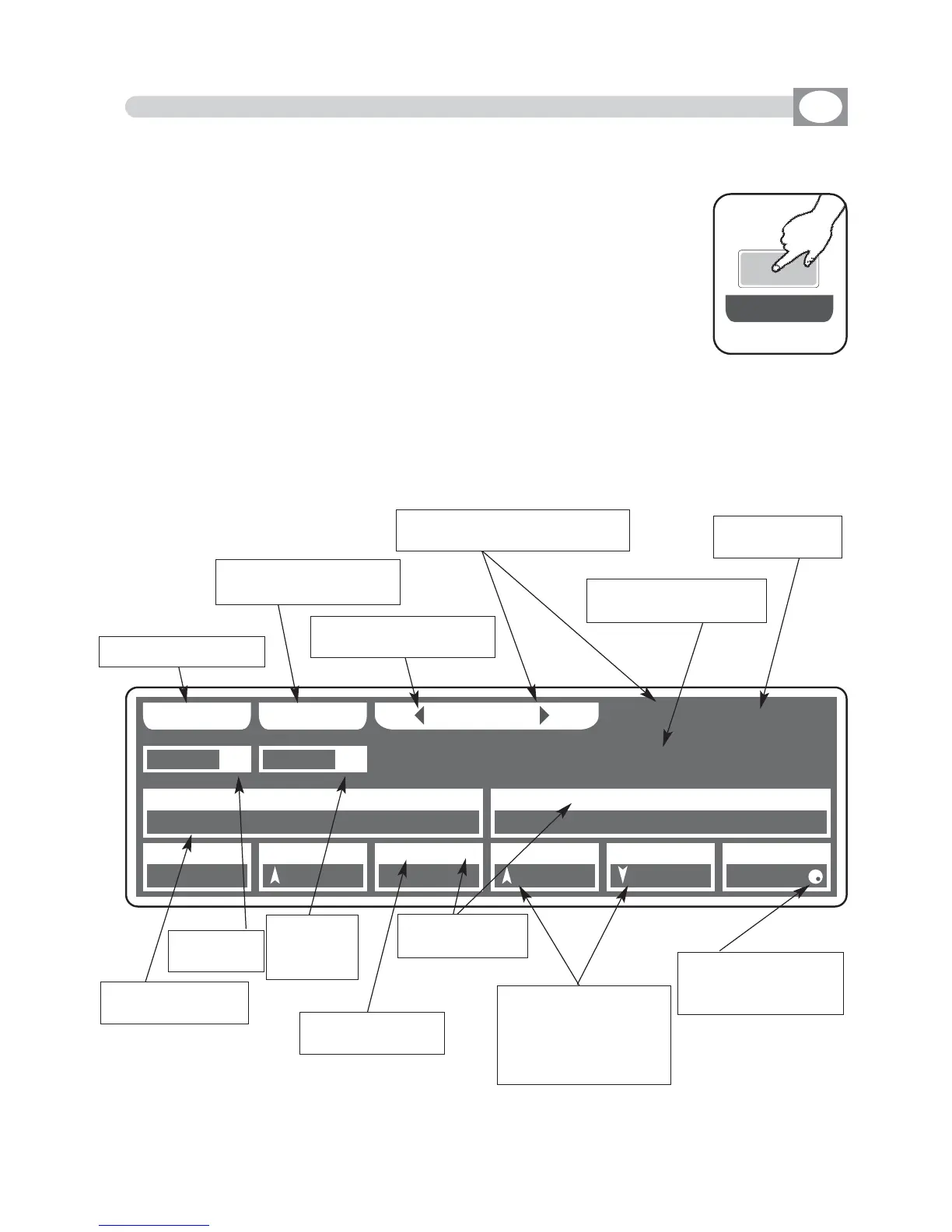
6.7 EDIT STEPS MODE
GB
The graphic display indicates the step (
hhiigghhlliigghhtteedd
) currently active (Fig.
23 par
66..55
)
to create/modify it press the
EDIT
key (Fig. 24).
The display changes as shown in (Fig. 25).
THIS FUNCTION ALLOWS TO CREATE OR MODIFY ONE OF 48 STEP OF
ACTIVE CHASE .
Pressing one of the 1÷12 keys the correspondent channel go to the 0 value if
it is high, to 255 value if it is low.
For successive channels use the
PPAAGGEE
key
Fig. 24
EE DD II TT
Fig. 25
Key to save the step
Key to go back to the
saved step
key to mask determined
channels
Keys to select the successive/
precedent page
indicate the shows
channels
Key to jump of 3
pages
Shows the DMX
channel value
Shows the
active chase
Shows the
ste in modi-
fication
Shows the name
of the channel
Indicate that the faders
aren’t in the position of
the value, keep it in the
sense of the arrow to
catch the value
Indicate on which
dimmer working
Indicate that the value
can be modified with
the encoder



 To Next Page