Manual
Press MANUAL key to activate
MANUAL
function (Fig. 12).
The MANUAL key led will light up to indicate the activation of
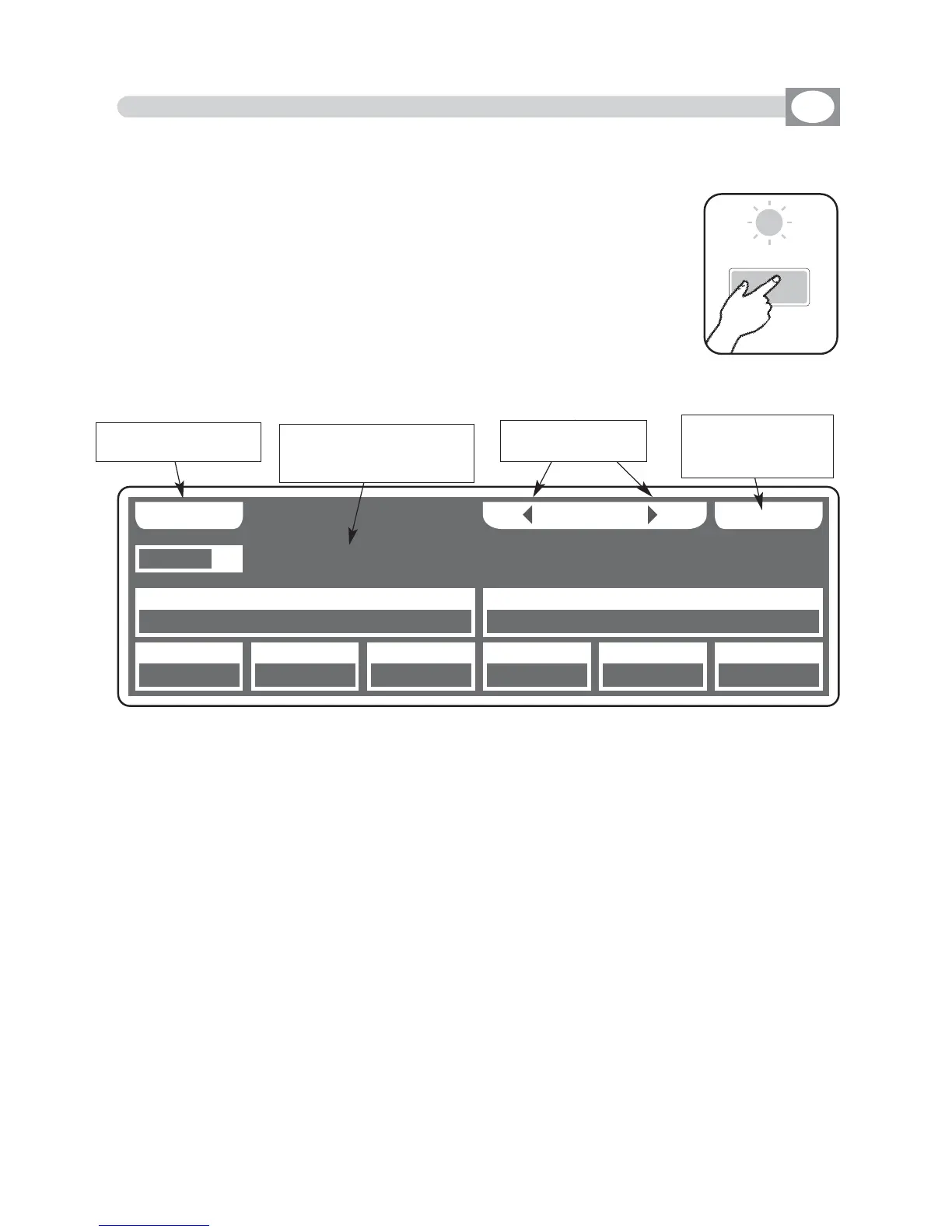
this function, and the display changes as shown in (Fig. 13).
The graphic display indicates the channels masked with the
symbol"===" through the 12 faders, the joystick or the 1÷12
keys the touched channel could be modified, also if the same
is inside of a program in play.
No modification for the others
In
MANUAL
mode there are 4
ffuunnccttiioonn kkeeyyss
see (Fig. 13).
GRAB
Key
:
Press this key to store the scene, you can then paste it in an empty scene of any pro-
gram.
UNIT
Keys
:
Press this keys to select the successive/precedent unit
SELECT
Key
:
Press this key
for select the unit to control.
FREE
Key
:
active only pressing
SELECT
key
Pressing this key the selected units
become free.
CATCH
Key
:
active only pressing
SELECT
key
Pressing this key
Key
the selected units
will stop in the current position.
LOCATE
Key
:
active only pressing
SELECT
key
Press this key
to locate
the selected units
DONE
Key
:
active only pressing
SELECT
key
Pressing this key to confirm.
Fig. 12
4.10 MANUAL MODE
GB
THIS FUNCTION ALLOWS TO ACTIVATE ONE OR MORE UNIT WHILE THE
NOT SELECTED ONES GO ON PERFORMING THE OWN FUNCTION.
UUNNIITT
GG RR AA BB
======
====== ====== ====== ====== ====== ======
====== ======
UU NN II TT SS EE LL EE CC TT
0011
PPAANN TTIILLTT CCOOLLOOUURR
====== ====== ======
CCYYAANN MMAAGGEENNTTAA YYEELLLLOOWW
DDIIMMMMEERR SSHHUUTT//SSTTRR ZZOOOOMM MM--SSPPEEEEDD CCOOLL..MMOODDEE CCOOLLOOUURR 22
SS GG MM GG II OO TT TT OO WW .. 44 00 00
key to store the
scene
select the units to
control
Shows name of the unit,
if more than one shows
“
NNNN UUNNIITTSS””
select the units
with functions
FFRREEEE,,
CCAATTCCHH,, LLOOCCAATTEE
Fig. 13



 To Next Page