CCHHAASS
PP AA UUSSEE
SS TT OO PP AA LL LL
RRPPTT 11
LLEENN 3300
RRPPTT 11
LLEENN 0055
RRPPTT 22
LLEENN 0055
RRPPTT 55
LLEENN 0055
RRPPTT 0033
LLEENN 3300
RRPPTT 0033
LLEENN 0055
RRPPTT 0033
LLEENN 0055
SS OO LLOO
0022
RRPPTT
0033
SSTTEEPP
0011
0022
RRPPTT 0033
LLEENN 3300
0033
RRPPTT 0033
LLEENN 3300
0088
RRPPTT 0033
LLEENN 3300
0099
RRPPTT 0033
LLEENN 3300
0055
RRPPTT 0033
LLEENN 3300
0011 0044 0066
0077 1100 1111 1122
SS PP EE EE DD
11 00 00 %%
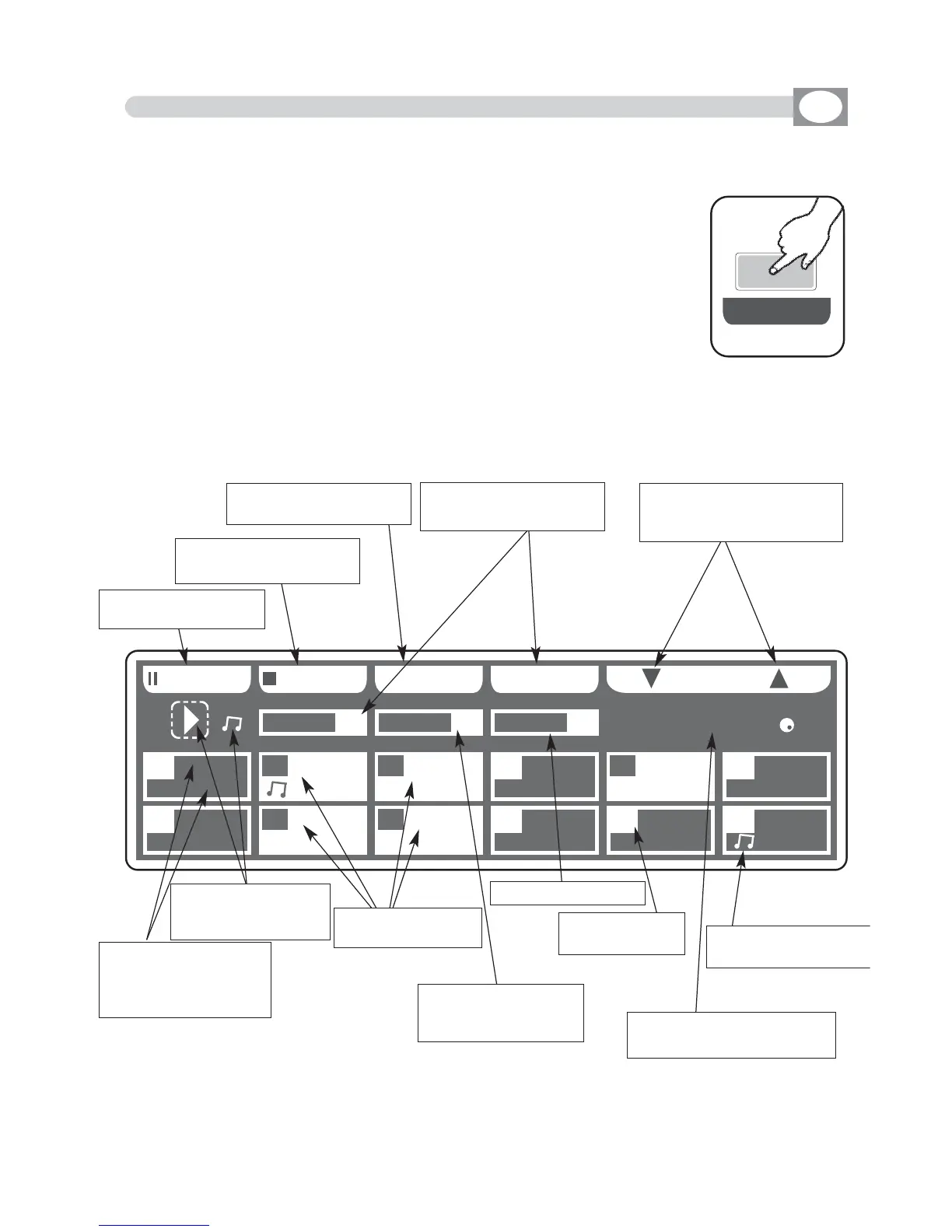
6.3 SELECT IN CHASE MODE
GB
To activate the multiple selection of the chases you must press the
SELECT
key
(Fig. 20).
The display changes as shown in
(Fig. 21).
THIS FUNCTION ALLOWS TO SELECT A SERIES OF
CHASE
Fig. 20
SS EE LL EE CC TT
Fig. 21
Press one of the 1÷12 keys to select more chase.
For successive chases use the
PPAAGGEE
key.
Key to set the chase
in pause
Key to set the chase in
stop
key to select all the cha-
ses
Key to select only the
chase shows on
CCHHAASS
Keys to increase/decrease
the speed of execution of
the chase
the repetition of the
active chase from 1
to 99
the speed of execution from
10% to 500%
Indicate if the chase i
in musical with
NNOOTTAA
the active step
the number of
the chase
Shows the active
chases
Shows with
RRPPTT
how
many times to repeat
chase and with
LLEE NN
the length
Indicate that the
chase is in musical
with
NNOOTTAA



 To Next Page