CCHHAASS
CC OO PPYY EE RR AA SS EE TT IIMM EE
00 00 .. 22 ss 00 55 00 %%
FFAADDEE 000011
TT 000022 005500%%TT 000044 007700%% TT 001100 003300%% TT 005500 004400%% TT 002200 007700%% TT 000044 007700%%
LLAA SS TT EE DD II TT
0011
SSTTEEPP
0022
0011 0022 0033 0044 0055 0066
0077 0088 0099 1100 1111 1122
6.5 STEPS MODE
GB
Press STEPS key to activate
STEPS
function
(Fig. 22)
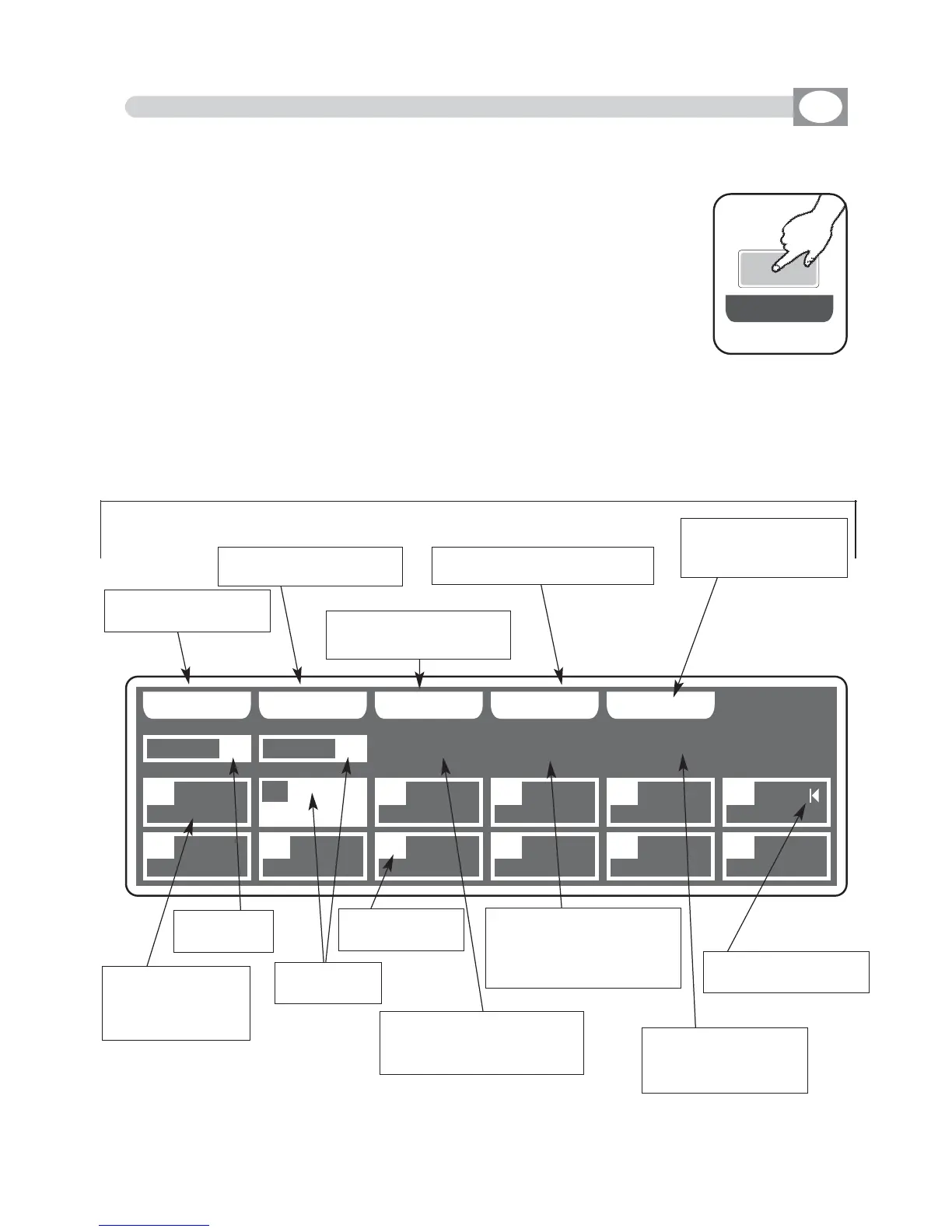
The display changes as shown in (Fig. 23)
The graphic display indicates the scene (
hhiigghhlliigghhtteedd
) currently active
(Fig. 23) if an empty step is selected, on the display appears
“
FFRREEEE
SSTTEEPPSS
”.
THIS FUNCTION ALLOWS TO SEE ONE OF THE 48 STEPS
OF THE ACTIVE
CHASE
,
CHANGE THE PARAMETERS AND EDITING.
Press one of the 1÷12 keys to select the step.
Pushes it again, the step puts on out his end value.
For successive step use the
PPAAGGEE
key
Note: Keep Master Chase Faders to the maximum see (par 6.12)
Function Keys
see par 6.6
Fig. 23
Key to copy the active
step
Key to erase the active
step
Key to modify the total
time of the active step
Key to mark
the last step of the chase
Key to create or
modify the active step
see par
66..77
visualize total time
and percent of
transition of the
step
visualize the
active chase
visualize the
active step
indicate the step
number
indicates the total time of
the active step, from 0,2
to 600 seconds
indicates the time to tran-
sition of the active step
as percent of the total
time
indicates the time to
transition in seconds
from 0 to 600
indicates the last step
of the chase
Fig. 22
SS TT EE PP SS



 To Next Page