EasyManua.ls Logo

NextBase DUO - User Manual

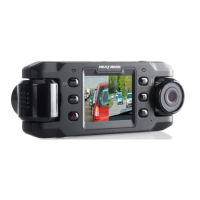
NextBase DUO
44 pages
Print Icon
To Next Page IconTo Next Page
Loading...
Instruction Manual

Questions and Answers

  • J
    James SmithSep 3, 2025
    How do I stop the recording in Parking Mode on my NextBase Dash Cameras?
    • L
      Lucas Kline IISep 3, 2025
      To turn off Parking Mode, first shut down the iN-CAR CAM and remove the SD card to avoid accidental recording. Switch the iN-CAR CAM On and turn off 'Parking Mode' within the General Settings menu.
  • C
    Colleen SnyderSep 2, 2025
    What to do if I get the message “Cluster size wrong. Please format SD card” on my NextBase DUO screen?
    • J
      John HaasSep 2, 2025
      Use the general Settings option to re-format the SD card from within the iN-CAR CAM.
  • L
    Lindsay StricklandSep 1, 2025
    What to do if the SD card in my NextBase DUO iN-CAR CAM can not be read?
    • A
      annrodriguezSep 1, 2025
      Use a good quality branded SD card between 8GB and 32GB and format the card from within the General Settings menu.
  • P
    Peter AndersonAug 31, 2025
    What to do if I can not remove the Micro SD card from my NextBase DUO?
    • M
      Mr. Dylan MontgomeryAug 31, 2025
      Push the card further inwards slightly with your fingernail until you hear and feel a small latch. If you have difficulty, use the edge of a small coin. Release pressure, and the card will spring out sufficiently for you to take hold of it.
  • L
    Laura ButlerAug 30, 2025
    What to do if I can not insert the Micro SD card into my NextBase DUO Dash Cameras?
    • N
      nancymccallAug 31, 2025
      Align the card with the diagram shown on the device and insert the card until you feel slight spring resistance. Push the card with your fingernail until you hear and feel a small latch. Release pressure, and the card will stay retained within the device. If you have difficulty, use the edge of a small coin.
  • R
    Richard SteinAug 30, 2025
    Why does my NextBase DUO battery only last 6 minutes?
    • C
      Cheryl YoungAug 30, 2025
      The battery is not intended as an alternative power source to replace the supplied car adapter.
  • J
    James SellersAug 29, 2025
    Why does my NextBase Dash Cameras battery only last 30 seconds?
    • S
      Shannon LaneAug 29, 2025
      Reconnect the car adapter and leave the iN-CAR CAM turned on. Charging takes approximately 90 minutes, and a full charge is indicated when the Blue (charging) LED goes out.
  • S
    Shirley MaxwellAug 28, 2025
    Why won't my NextBase DUO Dash Cameras battery charge?
    • P
      pkingAug 28, 2025
      Ensure the iN-CAR CAM is connected to a reliable power source and that the supplied Car Power Cable is being used, with the Green LED lit.
  • D
    Dr. Joshua SmithAug 27, 2025
    What to do if my NextBase DUO iN-CAR CAM has no power but works on my PC?
    • P
      Pamela RamirezAug 27, 2025
      If your iN-CAR CAM has no power but works on your PC, inspect the fuse in the Car Power plug. The replacement fuse should be a 2A 32mm type. If the fuse is blown, inspect the power cable for damage that may have caused the fuse to blow.
  • M
    marcus79Aug 26, 2025
    How to fix a NextBase DUO iN-CAR CAM that shuts down by itself?
    • A
      Allison ParkerAug 27, 2025
      If your iN-CAR CAM shuts down by itself, either the battery has gone flat, or there is no power to the iN-CAR CAM and the AutoPower Off period has been triggered.

Summary

Introduction to In-Car Cam Usage

Basic Operation and Usage Tips

Covers basic device operation, video recording tips, memory card care, and playback software usage.

Safety Precautions and Product Cautions

Essential Safety Warnings and Cautions

Details critical safety warnings, handling cautions, LCD characteristics, and WEEE disposal guidelines.

Product Specification Details

Device Parts and Controls Overview

Rear Panel Device Controls

Additional Rear Panel Controls

Bottom Panel Device Controls

In-Vehicle Installation Guide

Memory Card and Mount Attachment

Instructions for inserting memory card and securely attaching device to windscreen mount.

Windscreen Preparation and Mounting

Guides on cleaning windscreen and positioning mount for optimal visibility and adhesion.

In-Vehicle Installation Guide (Continued)

Power Connection and Cable Routing

Details connecting car adapter to device/vehicle and routing power cable safely.

Safe In-Vehicle Operation

Optimal Placement and Driving Advice

Advice on device placement, avoiding driver obstruction, and safe operation while driving.

Video Mode Operation

Video Mode On-Screen Indicators

Explains icons displayed on screen in Video Mode.

Video Mode Settings

Photo Mode Operation

Photo Mode On-Screen Indicators

Describes icons and information displayed on screen in Photo Mode.

Photo Mode Settings

Playback Mode Functionality

Playback Mode: Video Viewing

Playback Mode: Photo Viewing

Playback Mode: File Management

General Settings Menu: Basic Options

General Settings Menu: Advanced Options

General Settings Menu: Additional Options

Playback Software for Windows: Installation

Playback Software for Mac: Installation

Troubleshooting: Video and Card Issues

Resolving Video and SD Card Problems

Addresses blurred video, SD card insertion/removal, playback errors, and jumpy footage.

Troubleshooting: Power, Sound, and Mounting

Solutions for Power, Battery, and Mounting Issues

Solutions for power loss, battery life, card errors, and suction cup mounting problems.

Troubleshooting: Advanced and Unresolved Issues

Addressing Advanced and Unresolved Problems

Covers parking mode, menu issues, software download errors, time settings, and contact for unresolved problems.

NextBase DUO Specifications

General IconGeneral
Product colorBlack
Auto power offYes
G-shock sensor-
Number of cameras2
Maximum frame rate30 fps
Aperture range (F-F)2 - 2.2
Main camera resolution1280 x 720 pixels
Main camera viewing angle150 °
Video compression formatsMOV
Interior camera viewing angle22 °
Main camera sensor resolution1 MP
Output current1.5 A
Battery capacity700 mAh
Operating voltage5 V
Power source typeBattery, Cigar lighter
Display diagonal2 \
Built-in storage mediaNo
Compatible memory cardsMicroSD (TransFlash)
Maximum memory card size32 GB
Cables includedDC, USB
Quantity per pack1 pc(s)
Weight and Dimensions IconWeight and Dimensions
Depth24 mm
Width135 mm
Height52 mm
Weight95 g

Related product manuals