Installing the IPCamera
This section explains how to install the Nextiva IP Cameras.
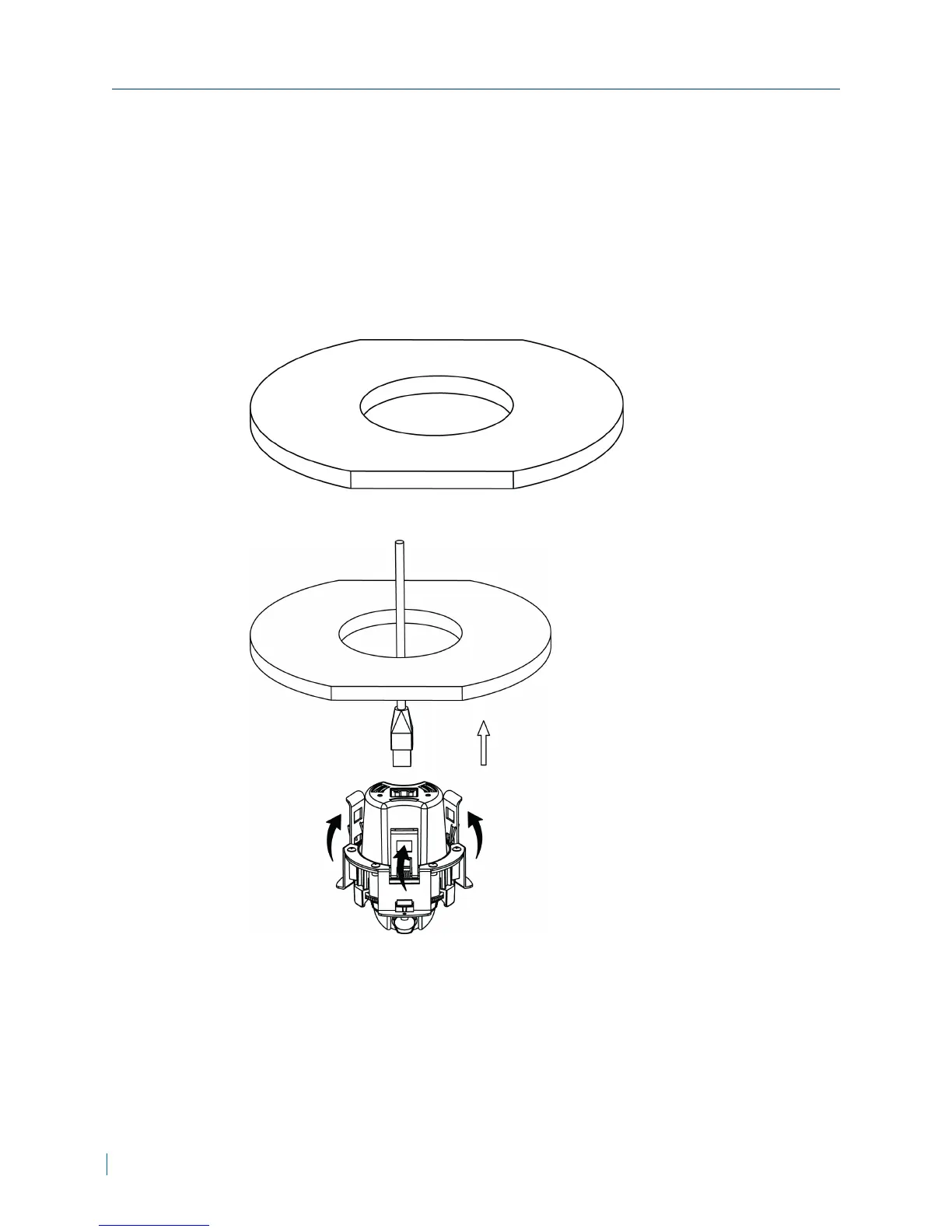
► To install the IPcamera
1. Attach the supplied template sticker to the ceiling.
2. Cut a round hole with a diameter of Ø84 mm in the ceiling.
3. Connect the network cable to the network port.
Installing the IPCamera
15 © 2013 Verint Video Systems Inc.



 To Next Page