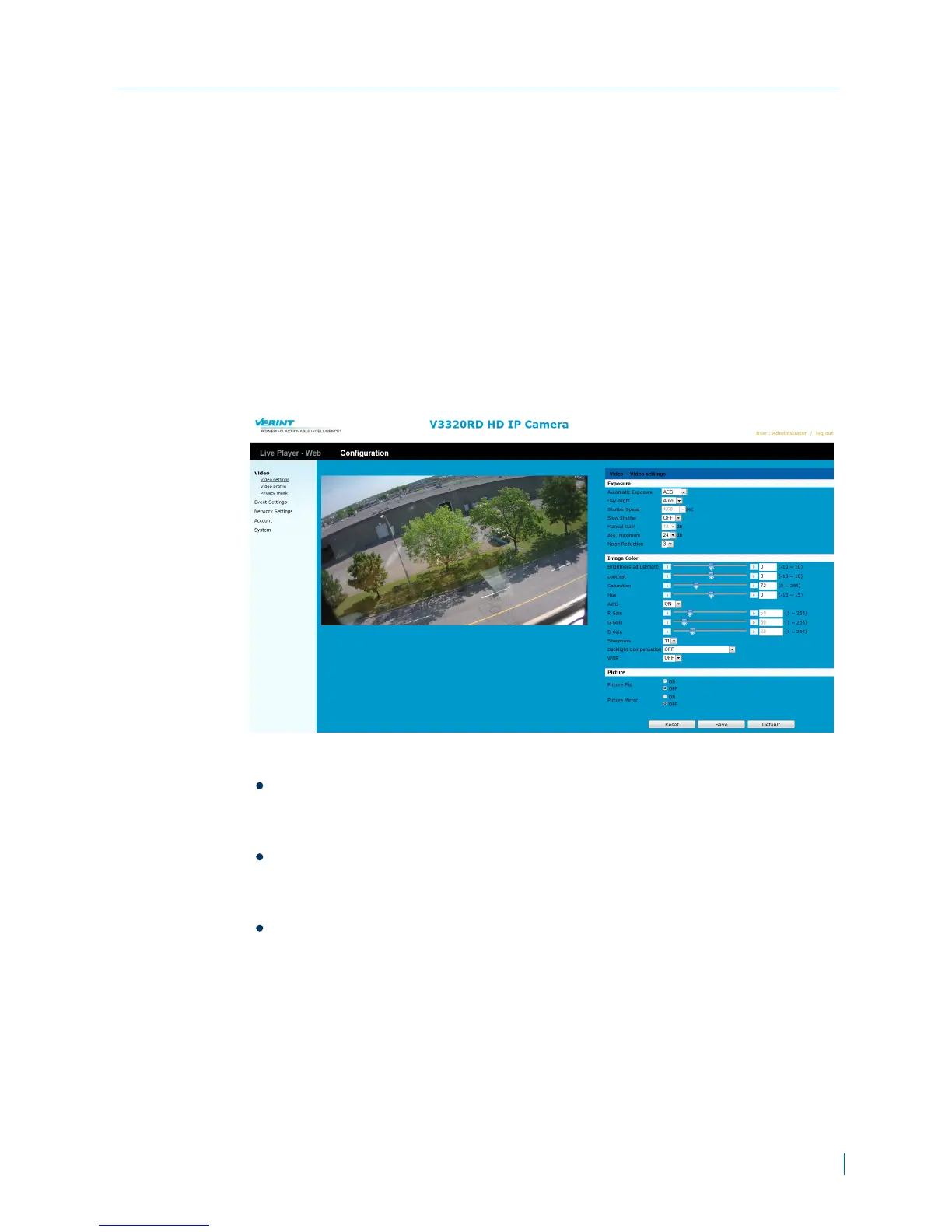
Configuring Image Settings
Most video settings can be configured from Nextiva VMS, except for exposure
time, exposure level, and Auto Gain Control (AGC).
► To configure image settings
1. In a web browser, type the IP address of the Nextiva IP camera in the
Address bar, and then press ENTER.
2. Type the username and password.
3. Click Configuration >Video >Video Settings.
4. From the Exposure, section, set the values for the following:
Automatic Exposure:Select Manual or AES (Automatic Electronic
Shutter). This controls the light intensity of the picture. If you choose
Manual, Shutter Speed and Manual Gain can be adjusted.
DAY-NIGHT: Select Auto, Color, or BW mode. If Color selected, the
unit is forced to stay in COLOR mode all day. If BW selected, the unit is
forced to stay in NIGHT mode all day.
Shutter Speed:Available if Automatic Exposure is set to Manual.
Set desired Shutter Speed from 1/30s to 1/8192s. The unit will adjust the
aperture according to the amount of outside light.
Chapter 3: Configuration
© 2013 Verint Video Systems Inc. 24



 To Next Page