Factory Default Settings
If after rebooting the device still does not function the way it should, you can
load the factory default configuration. This operation will restore the factory
default settings to the device and delete all user-defined values.
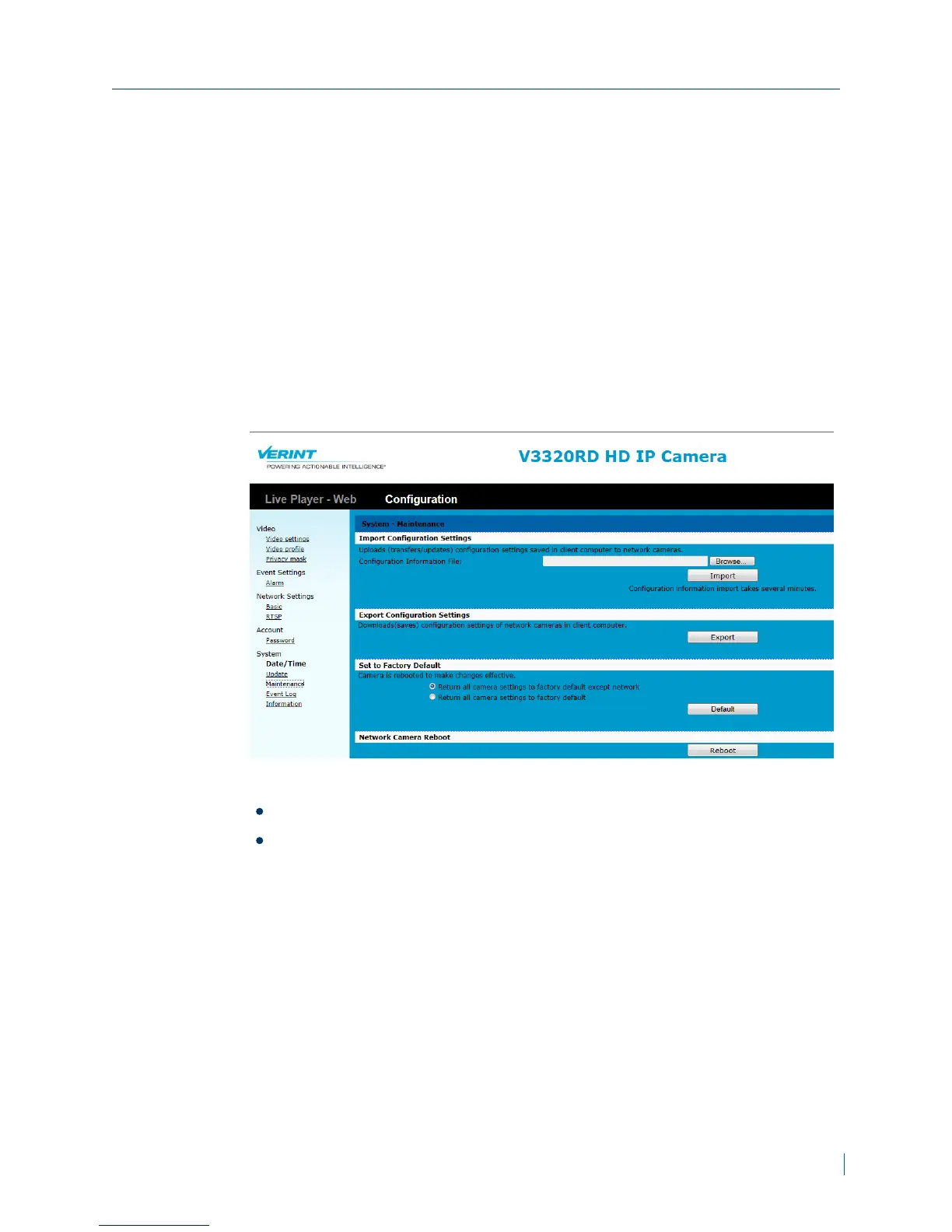
► To restore factory default settings
1. In a web browser, type the IP address of the Nextiva IP camera in the
Address bar, and then press ENTER.
2. Type the username and password.
3. Click Configuration >System >Maintenance.
4. From the Set to Factory Default section, choose one of the following:
Return all camera settings to factory default except network
Return all camera settings to factory default.
5. Click Default.
Appendix A: Maintenance and Troubleshooting
© 2013 Verint Video Systems Inc. 45



 To Next Page