Rebooting the IPCamera
If the IPcamera does not function the way it should, you can reboot the device
to re-initialize the settings.
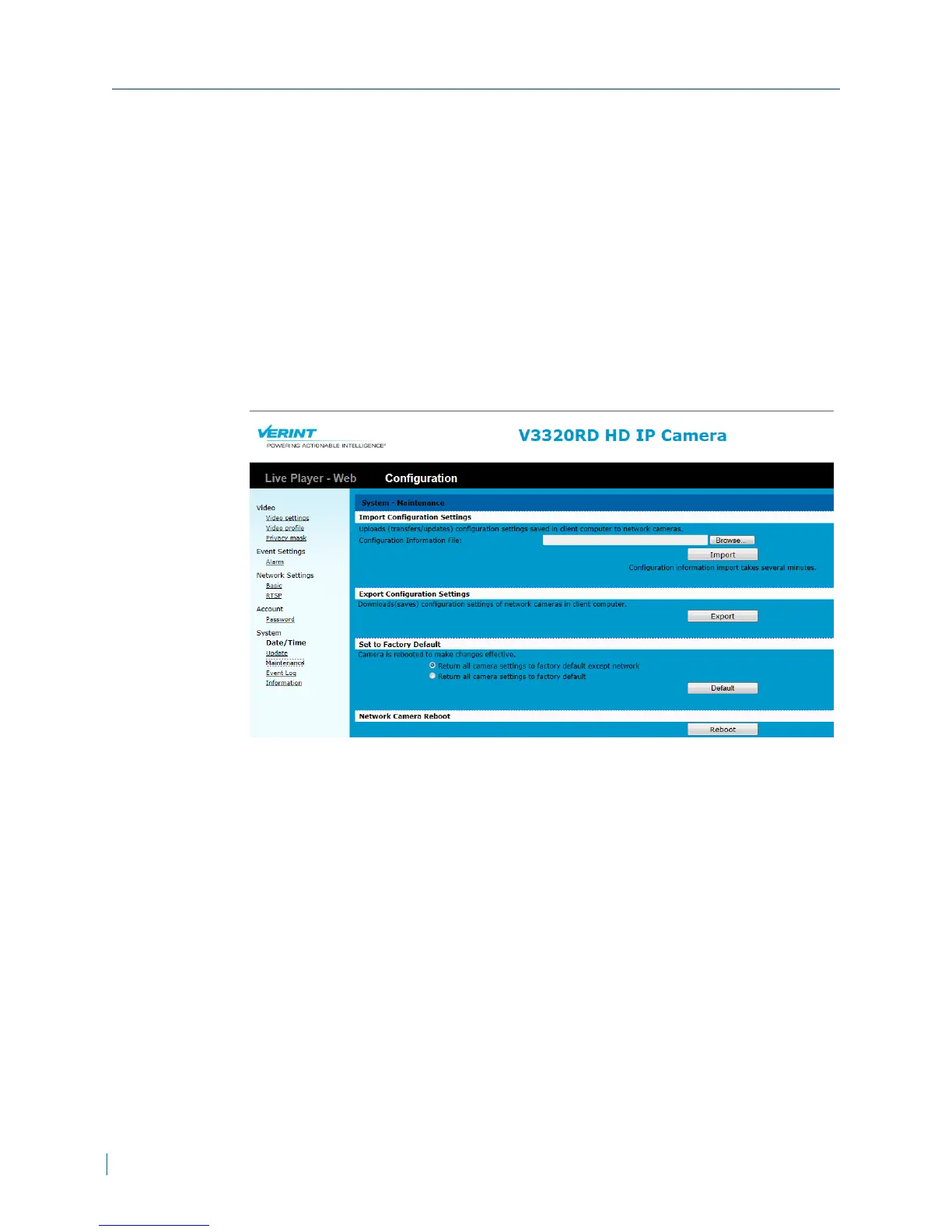
► To reboot the IPcamera
1. In a web browser, type the IP address of the Nextiva IP camera in the
Address bar, and then press ENTER.
2. Type the username and password.
3. Click Configuration >System >Maintenance.
4. From the Network Camera Reboot section, click Reboot.
Rebooting the IPCamera
46 © 2013 Verint Video Systems Inc.



 To Next Page