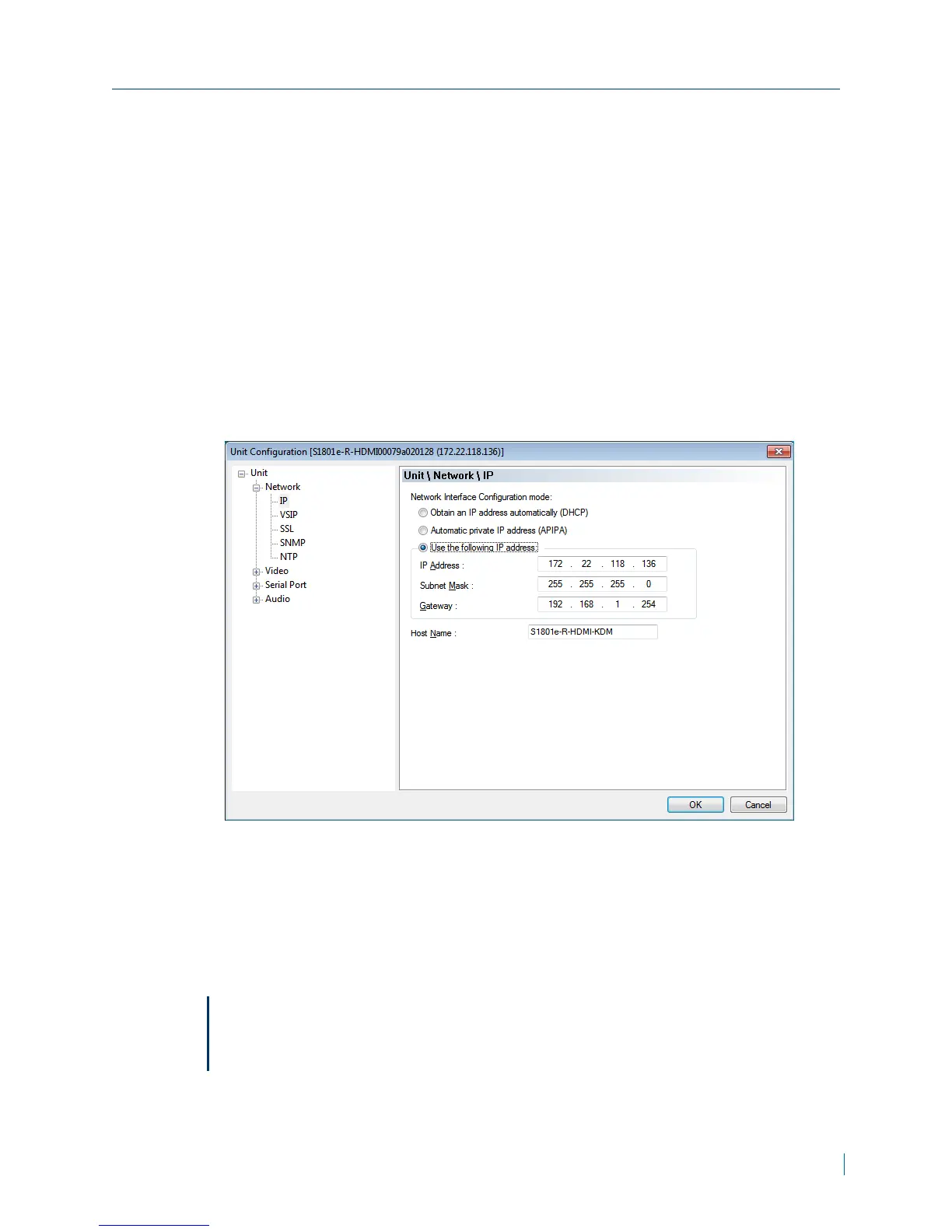
Setting a Static IP Address
If you plan on using the IPcamera with the Nextiva video management
software, you need to disable the DHCP setting and manually set a static IP
address.
► To set a static IPaddress
1. Start SConfigurator.
2. Select the Units tab, then click Discover.
3. Select the Nextiva device, and click Configure.
4. In the tree view, click Unit >Network > IP.
5. Select Use the following IP address.
6. In the IP Address box, type the device IP address.
7. In the Subnet Mask box, type the address specifying the subnet in which
the IP address belongs.
8. In the Gateway box, type the IP address of the server that acts as an
access point to another network.
Note
You do not need to use a gateway if the device communicates with other
devices on the same subnet.
Chapter 2: Installation
© 2013 Verint Video Systems Inc. 20



 To Next Page