R, G and B Gain:Set manual gain value of R Gain, G Gain, & B Gain
from level 0 to 255.The red (R) gain is used to adjust the color red in the
viewing image. It allows adjusting red gain manually according to user
requirement ranging from level 0 to 255. The green (G) gain is used to
adjust the color of green in the viewing image. It allows adjusting green
gain manually according to user requirement ranging from level to 255.
The blue (B) gain is used to adjust the color of blue in the viewing image.
It allows adjusting blue gain manually according to user requirement
ranging from level 0 to 255.
Sharpness:Increasing the sharpness value will sharpen the edges and
small feature of viewing images. If the edges appear too smooth or
blurred, increase the sharpness; otherwise, decrease the sharpness.
Sharpness value can be set from 1 to 15.
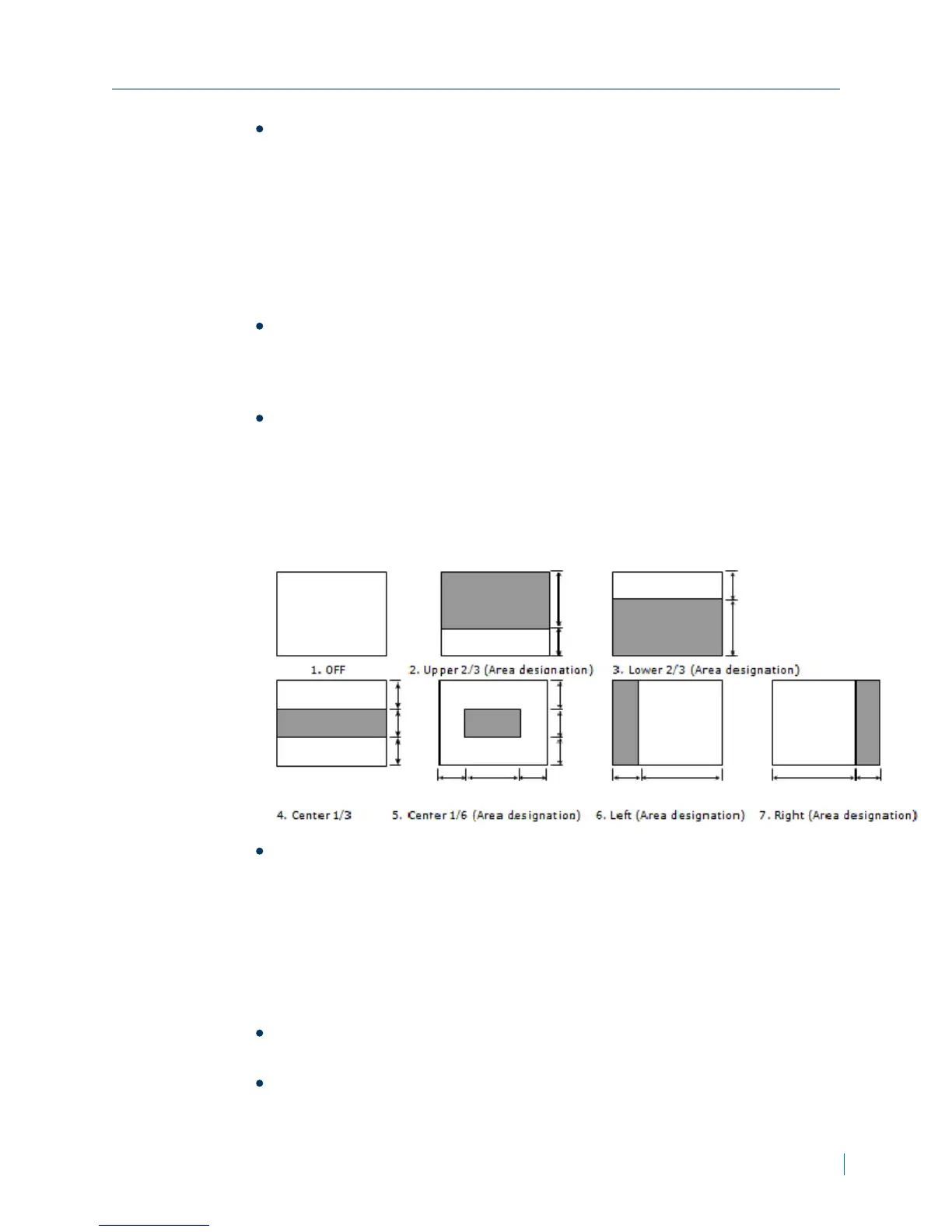
Backlight Compensation:Set an area for Backlight Compensation.
Backlight Compensation is a function that achieves the brightness of a
selected area to optimal image level. This function is necessary when an
auto iris lens tends to close due to an intense light coming from back of
object in the area wished to view so that the area is too dark and difficult
to see. In this case, users may set the area correspond to the portion
wished to see. The area size illustrations are roughly as follows.
WDR:This function to provide clear images even under back light
circumstances where intensity of illumination can vary excessively
namely when there are both very bright and very dark areas
simultaneously in the field of view of the unit. WDR enables capturing
and displaying of both bright and dark areas in the same frame in a way
that there are details in both areas, i.e. bright areas are not saturated,
and dark areas are not too dark.
6. From the Picture section, set the values for the following:
Picture Flip:Set image to be upside or down. Select ON or OFF to
activate or deactivate the flip function.
PictureMirror:Set image to be left or right. Select ON or OFF to
activate or deactivate the mirror function.
Chapter 3: Configuration
© 2013 Verint Video Systems Inc. 26



 To Next Page