42
168.0
171.0
168.0
171.0
t
T[s]
N
F[Hz]
[-]
170.0
173.0
-3dB
[Hz]
169.0
172.0
-3dB
Digitax SF Instruction Manual
7. Tuning
3. Tuning Parameters
Function
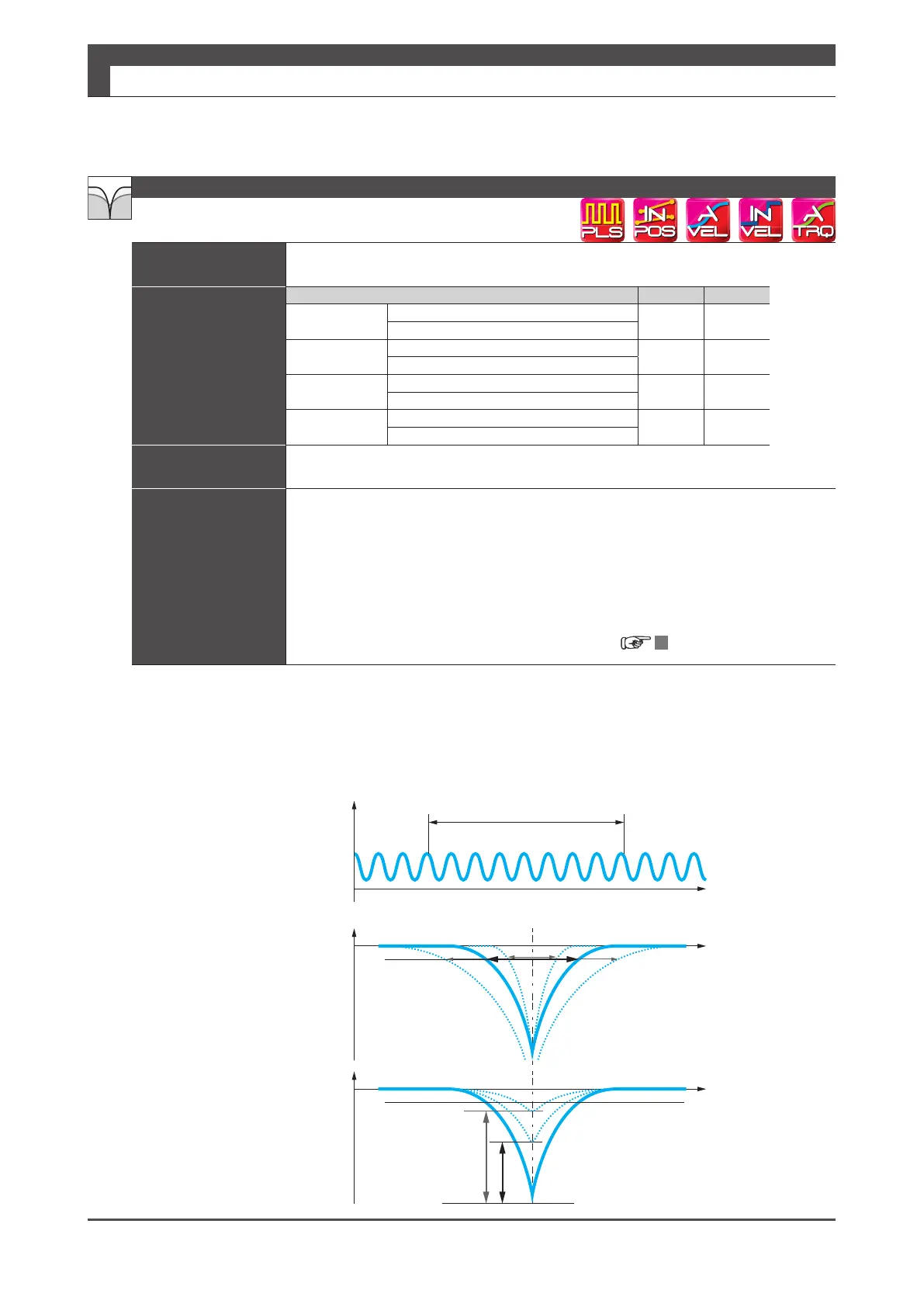
This lter is eective in suppressing noise and vibrations by removing vibration factors
from the torque command�
Parameter
Notch lter Filter Filter 2
Switch
Default:
0
160�1 160�3
Settings:
0–1
Frequency
Default:
2,500 [Hz]
168�0 171�0
Setting range:
0–2,500
Width
Default:
8
169�0 172�0
Setting range:
1–16
Depth
Default:
0
170�0 173�0
Setting range:
0–256
Remark
Set this item only after the machinery is installed properly� Unless the equipment is installed
correctly, the filter performance will be suboptimal�
Tuning Tip
Set Notch lter switch
(160�1) =1(enable) and set the value of Notch lter frequency
(168�0) to be a vibration frequency� Calculate the vibration frequency using the waveform of,
for example, the torque command when vibration is occurring�
In the case of multiple vibration frequencies, set the second level notch lter�
Alternatively, use this lter together with the low-pass lter (160�0, 160�2, 162�0) or
increase Notch lter - Width (169�0)� If applying the notch lter cannot stop resonant
vibrations due to considerable machinery rattles, increase Notch lter- Depth (170�0) to
50,100,150 and so on, so that the actual notch depth will be shallower�
5 Setting List of Parameters
Torque Command Filter: Notch Filter
Gain [dB]
Torque Command Value
Gain [dB]
Width
Frequency
Frequency
[times]
Vibration frequency
Vibration frequency
Depth






 To Next Page