24 | Kato Engineering, Inc.
4.3.3 Loop Antenna Output, Receiver
The loop antenna output of the receiver is an AC output that connects to the antenna bracket. This
output is not polarity sensitive. The maximum cable length that can be utilized for this connection is
20ft, and can actually be shorter depending on the installation.
Figure 18 Receiver Loop Antenna Wiring Detail
4.3.4 Communication Interfaces, Receiver
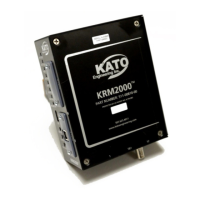
The KRM2000
TM
provides tremendous flexibility through its communication interface. There currently
are three connections provided for communication: Serial USB, and two custom ports that can be
interchanged with various communication protocols. The USB input provides the ability to perform
firmware upgrades. The custom port connections provide a host of protocol options for the user
when connecting to other outside devices as well as the GUI, with some of the more common types
shown below:
• CANopen
• DeviceNet
• Modbus RTU & TCP
• Profibus
• RS232/RS422/RS485
• USB
• Ethernet/IP
• Bluetooth
• ControlNet
Other protocol options are available, and can be inquired about through Kato Engineering. The
standard options provided with the KRM2000
TM
are USB and Bluetooth.


 To Next Page