E37
Reference Section
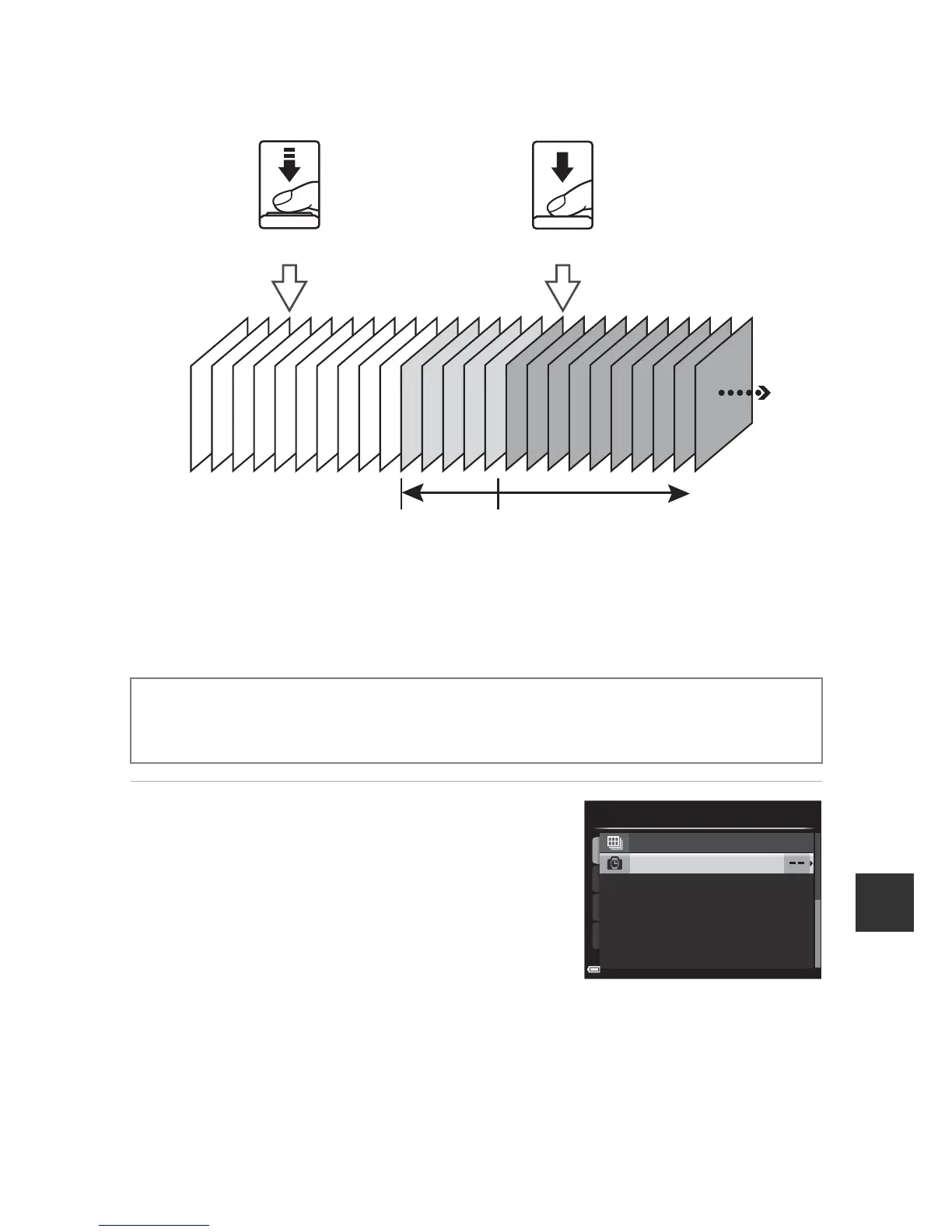
C Pre-shooting Cache
When the shutter-release button is pressed halfway or all the way down, images are
saved in the manner described below.
• The pre-shooting cache icon (Q) in the monitor glows green while the shutter-
release button is pressed halfway.
Interval Timer Shooting
1 Use the multi selector HI to
select X Intvl timer shooting,
and then press the k button.
Rotate the mode dial to A
,
B
,
C
,
D
or
i M d button M A
,
B
,
C
,
D
or
i tab (A9) M Continuous





 To Next Page