5
Parts of the Camera and Main Functions
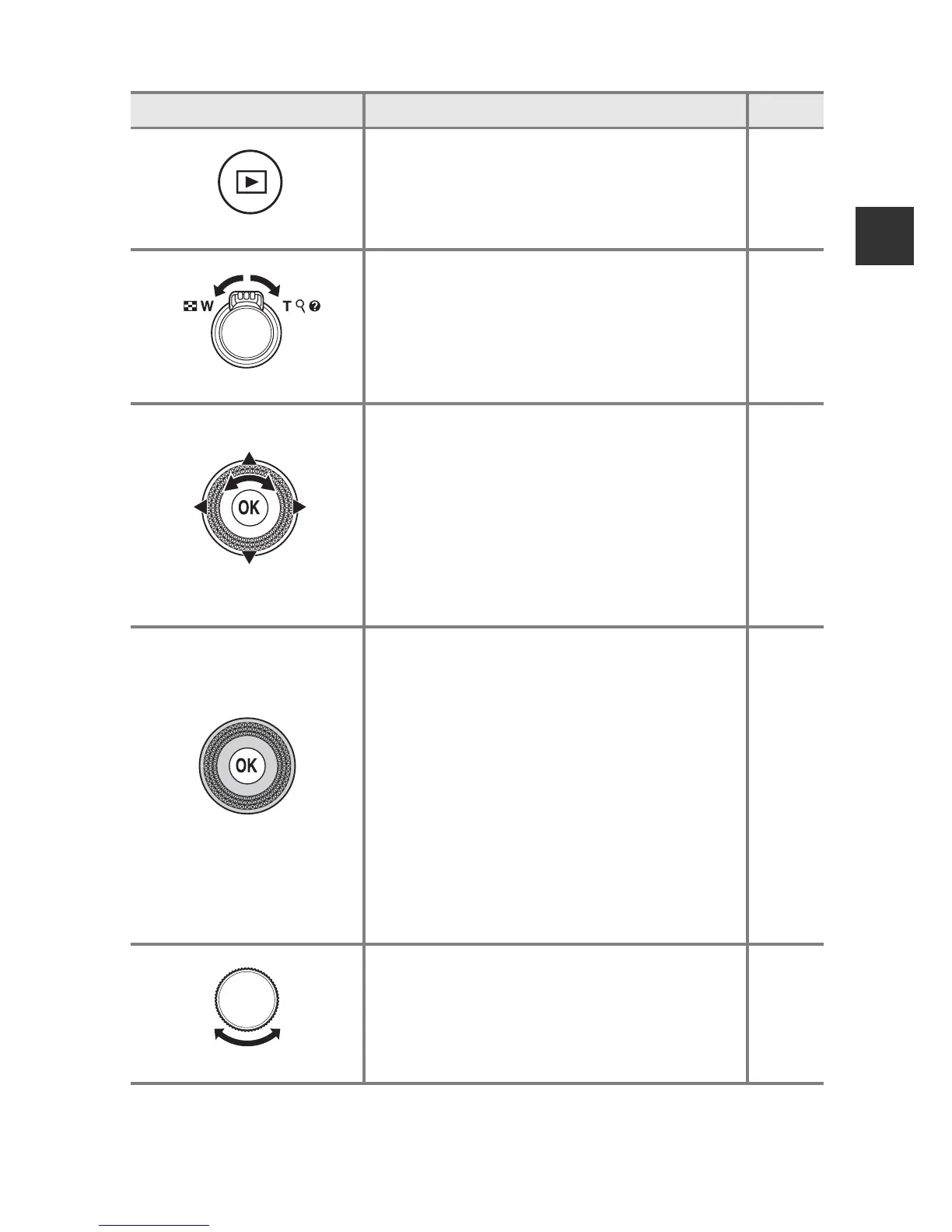
For Playback
Control Main Function A
c (playback) button
•
When the camera is turned off, press and hold
this button to turn the camera on in playback
mode.
• Return to shooting mode.
32
32
Zoom control
•
Move toward
g
(
i
) to zoom in on the
image, and move toward
f
(
h
) to
display images as thumbnails or the
calendar.
• Adjust the volume for voice memo and
movie playback.
81, 82
83, 90
Multi selector
• While the playback screen is displayed:
Change the displayed image using up
(
H), left (J), down (I), right (K), or by
rotating the multi selector.
• While the setting screen is displayed:
Select an item using HIJK or by
rotating the multi selector.
• While an enlarged image is displayed:
Move the display area.
32
8
81
k (apply selection)
button
• Display a histogram, tone level and
shooting information or return to full-
frame playback mode.
• Display individual images of a sequence in
full-frame playback mode.
• Scroll an image shot with Easy panorama.
• Play back movies.
• Switch from thumbnail playback or
zoomed image display to full-frame
playback.
• While the setting screen is displayed,
apply the selection.
32
84,
E5
42,
E4
90
81, 82
8
Command dial
Switch the magnification of an enlarged
image.
81













 To Next Page