E56
Reference Section
E Voice Memo
Voice memos can be recorded and attached to images.
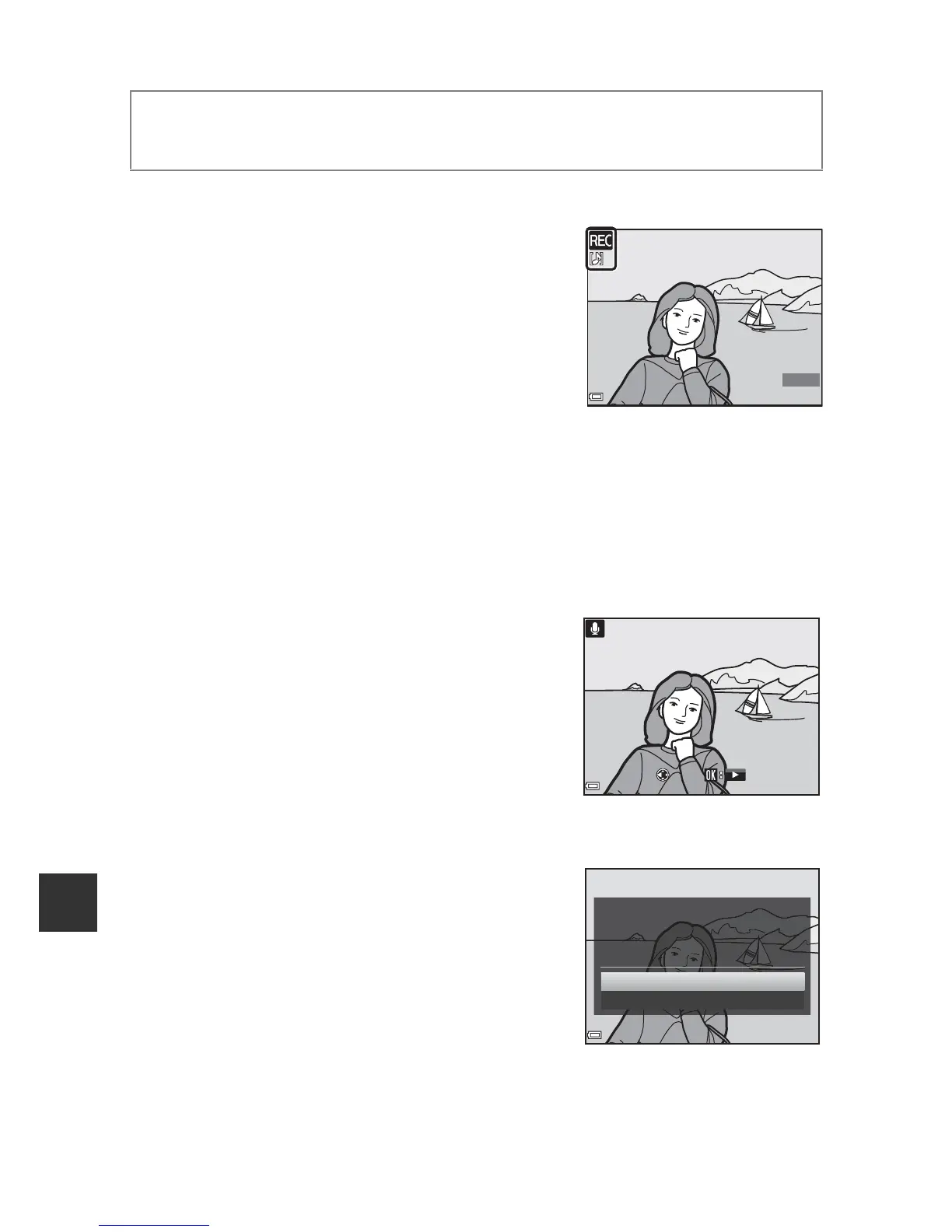
Recording Voice Memos
• Press and hold the k button to record (up to
about 20 seconds).
• Do not touch the microphone.
• During recording, o and p flash in the
monitor.
• The voice memo playback screen is displayed
after recording ends. Press the k button to
play back the voice memo.
• Delete the current voice memo before recording a new voice memo.
• p is displayed for images with a voice memo when in full-frame playback
mode.
• Press the multi selector J before or after recording a voice memo to return
to the playback menu.
Playing Voice Memos
Select an image with p displayed before
pressing the d button.
• Press the k button to play the voice memo.
Press the button again to stop playback.
• Move the zoom control during playback to
adjust playback volume.
• Press J before or after playing a voice memo
to return to the playback menu.
Deleting Voice Memos
Press the l button on the voice memo playback
screen. Use HI to select Ye s and press the k
button.
• To delete a voice memo for a protected
image, the Protect setting must first be
disabled.
Press the c button (playback mode) M select an image M d button
(A8) M E Voice memo













 To Next Page