14
First Steps
Inserting the Battery
The camera uses a rechargeable EN-EL8 lithium-ion battery (supplied).
Charge the battery before first use or when the battery is running low
(c 16).
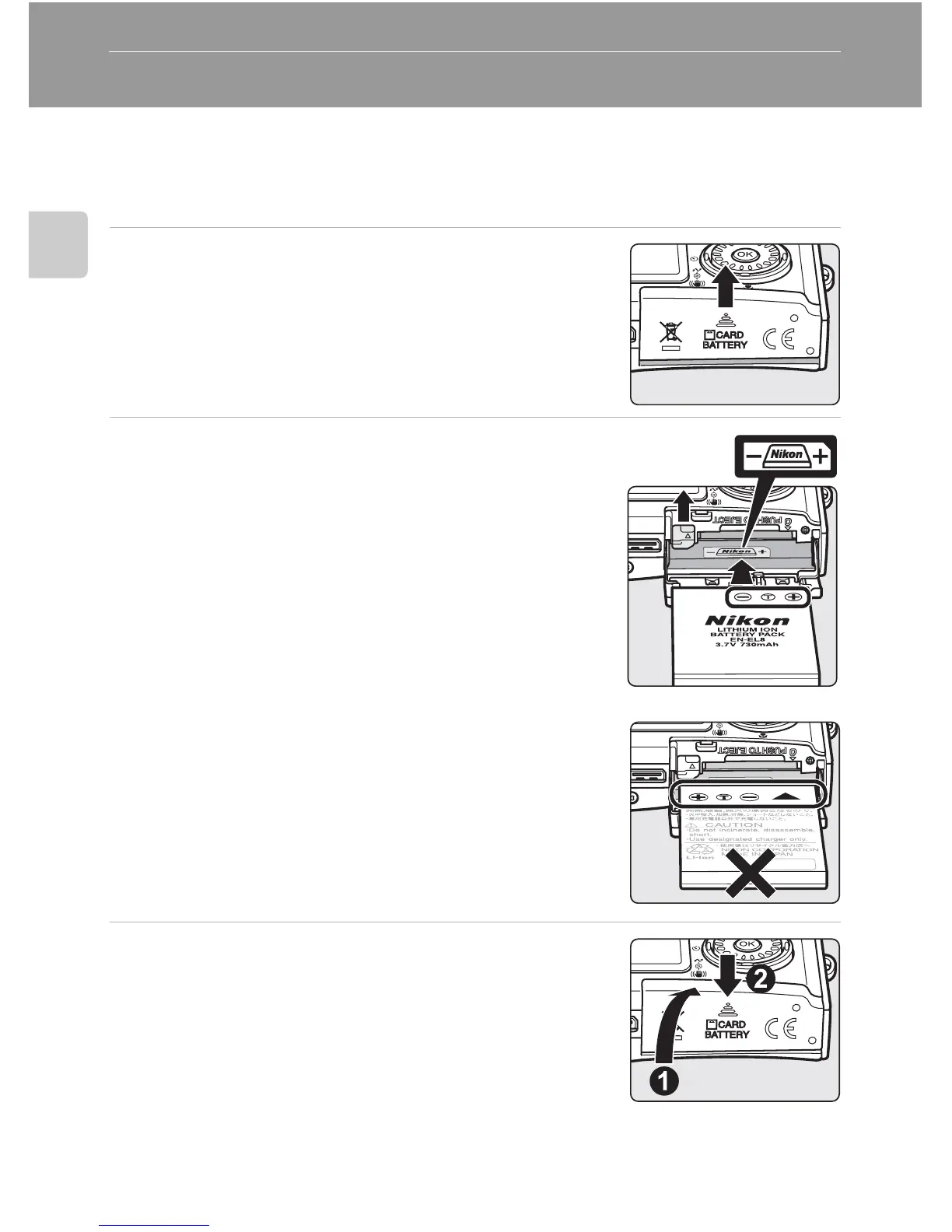
1 Open the battery-chamber/memory card
slot cover.
2 Insert the battery.
Confirm that the positive (+) and negative (-) termi-
nals are oriented correctly as described on the label at
the entrance of the battery chamber, and insert the
battery.
The orange battery latch is pushed aside as the bat-
tery is inserted. The battery is fully inserted when the
latch clicks back into place.
j Inserting the Battery
Inserting the battery upside down or backwards
could damage the camera. Check to be sure the
battery is in the correct orientation.
3 Close the battery-chamber/memory card
slot cover.















 To Next Page