74
Movies
Movie Playback
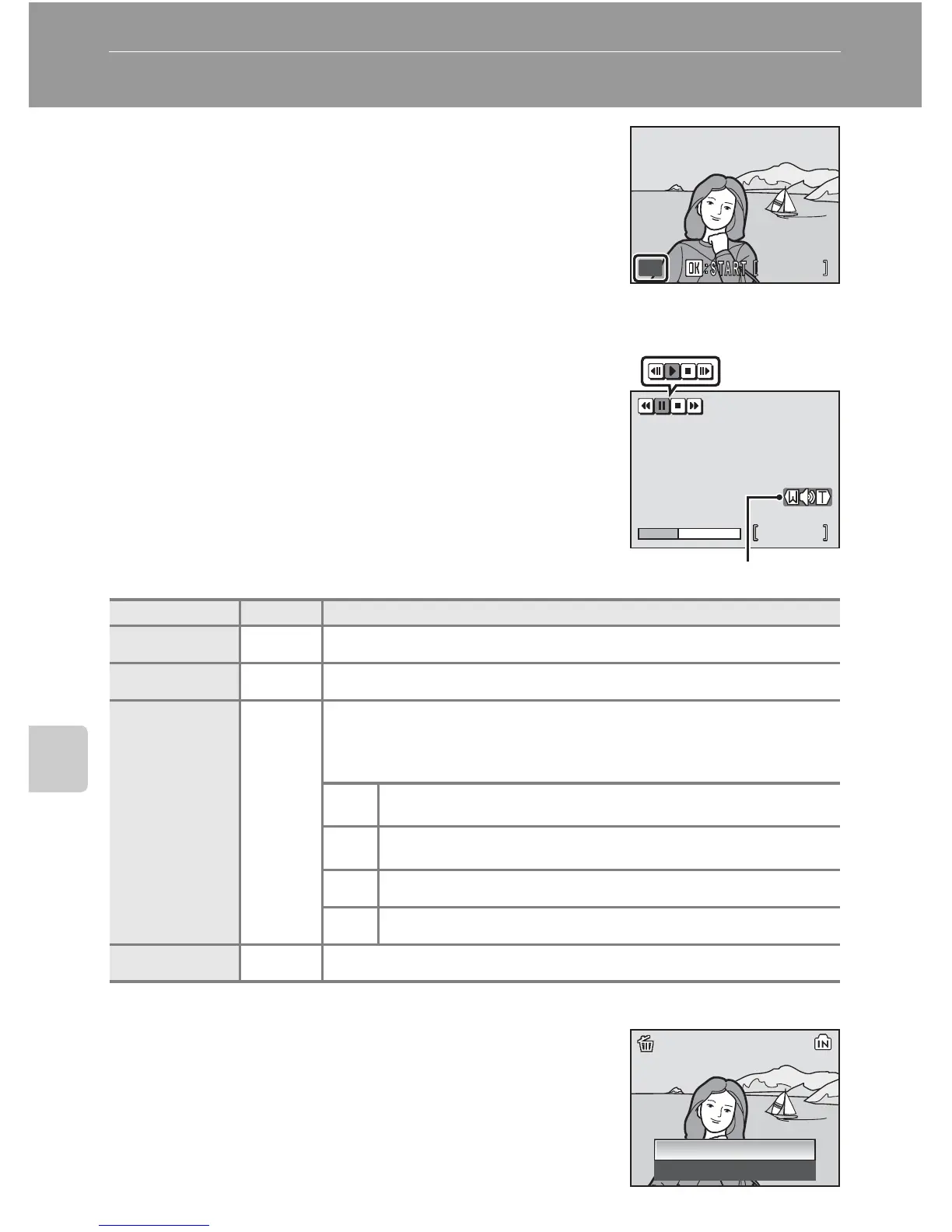
In full-frame playback (c 28), movies are recog-
nized by the T icon. To play a movie, display it in
full-frame playback and press d .
Use the zoom control to adjust playback volume.
Press to t (j) to lower volume, or to v (k) to
raise volume.
Rotate the rotary multi selector to advance or
rewind the movie at twice the normal speed.
Playback controls appear at the top of the monitor.
Press the rotary multi selector IJ to choose a con-
trol, then press d to perform the selected opera-
tion. The following operations are available:
Deleting Movie Files
Press T during movie playback or when displayed in
full-frame (c 28) or thumbnail (c 50) playback
mode. A confirmation dialog is displayed. Choose
[Yes] and press d to delete the movie, or choose
[No] and press d to return to the normal playback
display without deleting the movie.
To Press Description
Rewind Q Rewind movie. Playback resumes when d is released.
Advance U Advance movie. Playback resumes when d is released.
Pause R
Pause playback.
While paused, use the rotary multi selector to advance or
rewind the movie. The following operations can be per-
formed while playback is paused.
V
Rewind movie by one frame. Rewind continues while
d is pressed.
W
Advance movie by one frame. Advance continues
while d is pressed.
z Resume playback.
S End playback and return to full-frame playback.
End S End playback and return to full-frame playback.
100NIKON















 To Next Page