63
More on Playback
Pictmotion by muvee
Pictmotion* creates slide show movies with custom transitions and back-
ground music.
It is only available when a memory card is inserted in the camera.
* Pictmotion is powered by muvee Technologies.
Creating a Pictmotion Movie
This section describes the easiest way to create a Pictmotion movie.
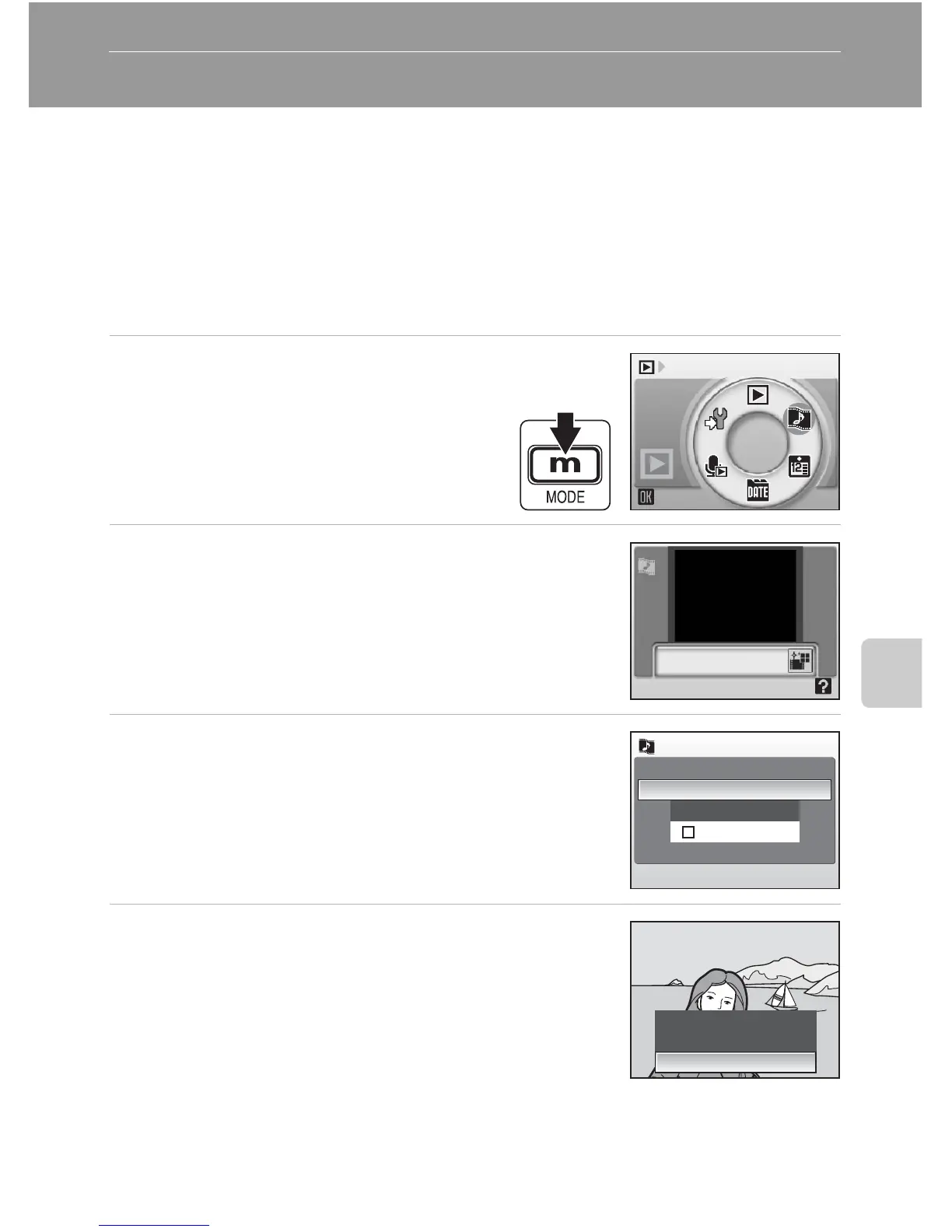
1 Enter Pictmotion mode by press-
ing D in playback mode,
selecting P (use the rotary
multi selector), and then press-
ing d.
2 Choose M and press d.
3 Choose [All images] and press d.
A Pictmotion movie using the ten most recent pic-
tures (default setting) will be created.
After the created Pictmotion movie is automatically
played back, a confirmation dialog will be displayed.
4 Choose [Yes] and press d.
The Pictmotion movie is saved and the monitor dis-
play returns to that shown in step 2.
Settings for saved Pictmotion movies cannot be
changed. If you wish to change the settings, delete
the Pictmotion movie and create a new Pictmotion
movie with the desired settings.
Pictmotion by muvee
All images
Choose date
Confirm
Picture selection
Save Pictmotion?















 To Next Page