83
Connecting to a Computer
Connecting to Televisions, Computers, and Printers
Transferring Pictures to a Computer
1 Start a computer to which PictureProject has been installed.
2 Turn off the camera.
3
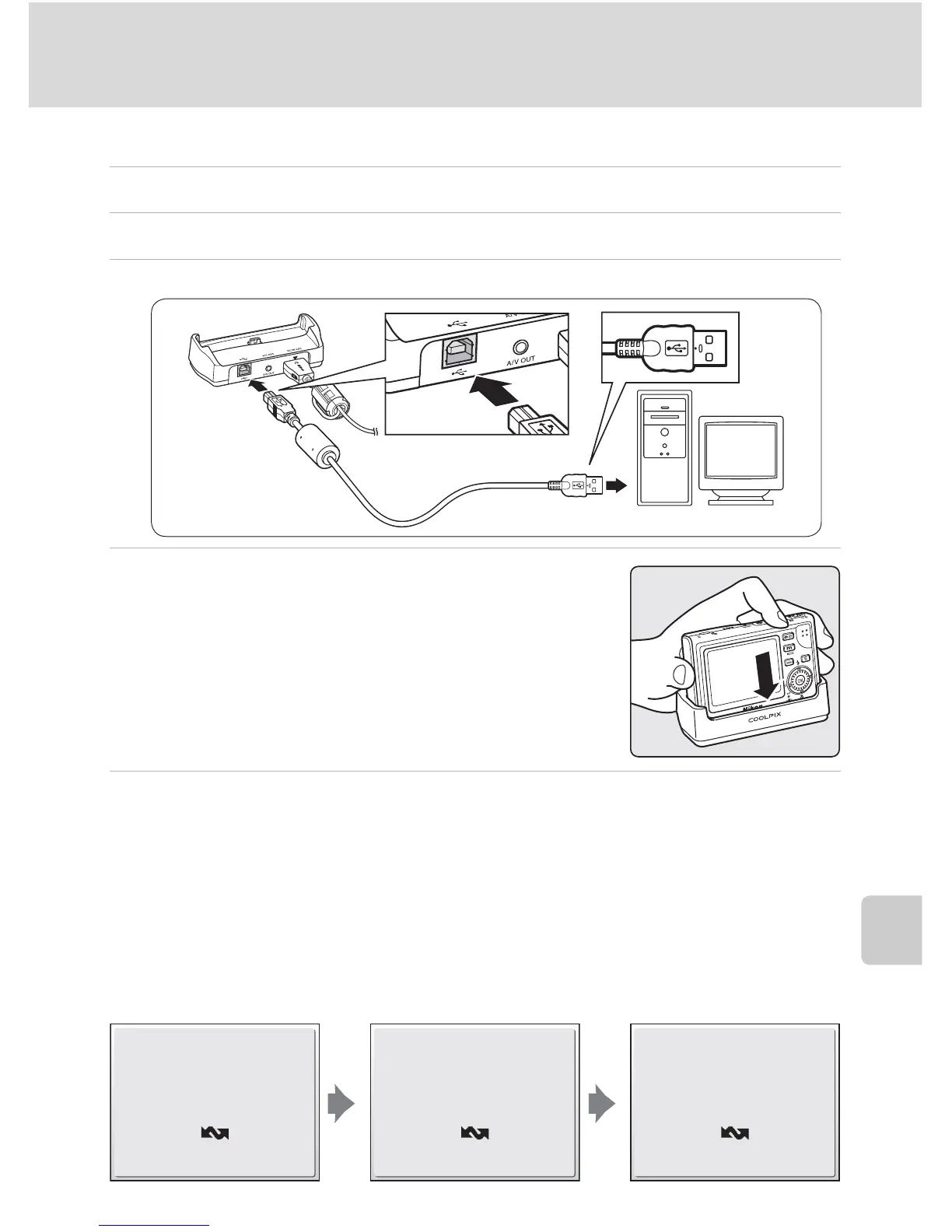
Connect the COOL-STATION to the computer using the supplied USB cable.
4 Turn the camera on after placing it in the
COOL-STATION.
At default PictureProject settings, PictureProject Trans-
fer is launched immediately with recognition of cam-
era connection.
5 Transfer pictures.
Transfer using PictureProject
Click [Transfer] button in PictureProject Transfer.
All pictures and movies marked for transfer are copied to the computer. Once
transfer is complete, pictures are displayed in PictureProject.
Transfer using the camera’s d (E) button
While PictureProject Transfer is launched, press d (E) to copy pictures marked
for transfer (c 84) to the computer. The following messages are displayed in the
camera monitor during transfer.
Preparing to transfer
Transferring images to
computer
Transfer completed















 To Next Page