36
Shooting Suited for the Scene - High-sensitivity Shooting Mode, Scene Mode
Assist Modes
Compose pictures with the help of framing guides displayed in the monitor.
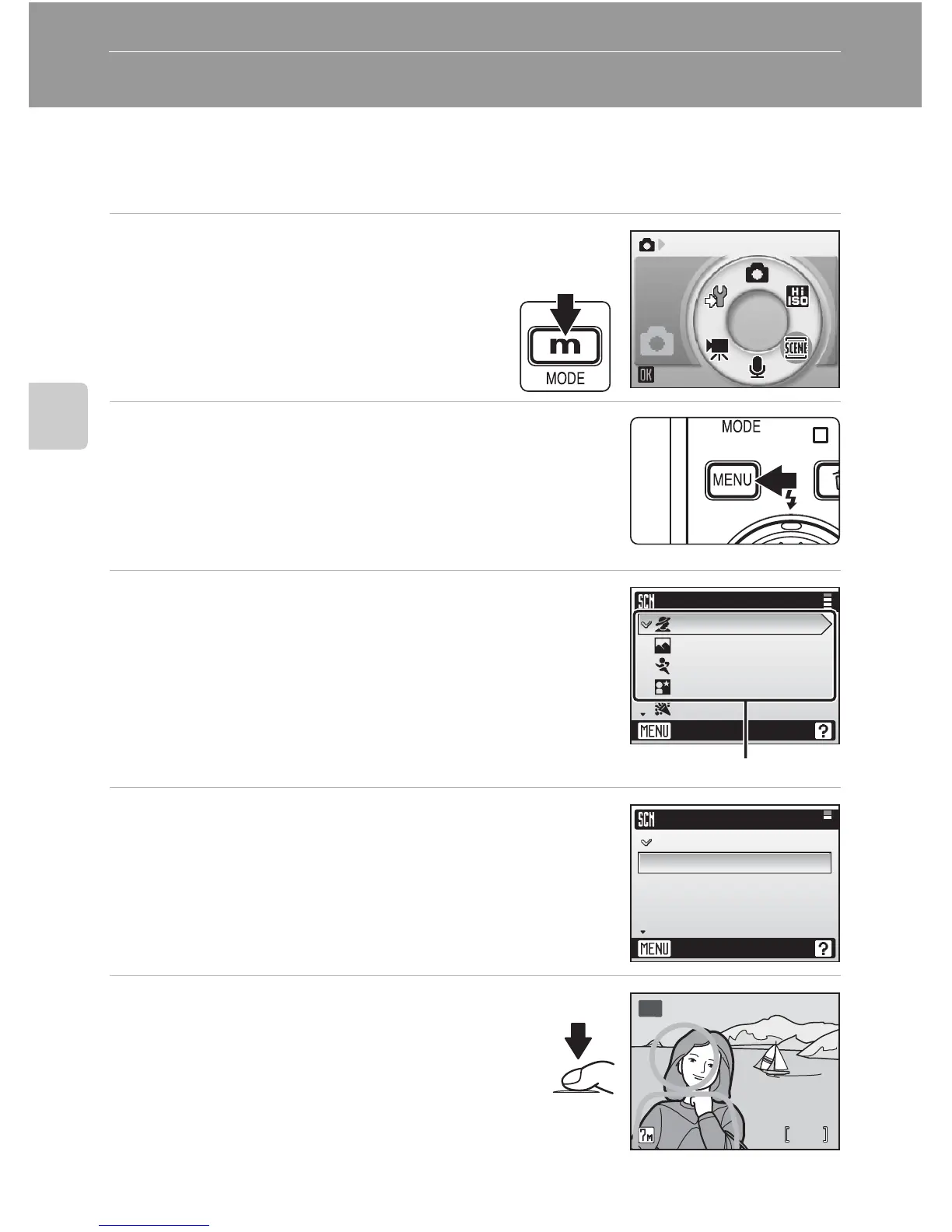
Taking Pictures in Assist Modes
1 Enter scene mode by pressing D
in shooting mode, selecting n
(use the rotary multi selector), and
then pressing d.
2 Press m to display the scene menu.
3 Choose an assist mode and press d.
The framing assist menu is displayed.
4 Choose the appropriate composition and
press d.
5 Position the subject in the fram-
ing guide and take the picture.
Framing guides are displayed if available.
Scene
Scene menu
Exit
Portrait
Landscape
Sports
Night portrait
Party/indoor
Assist modes
B
N
O
P
Q
Portrait
Exit
Portrait
Portrait left
Portrait right
Portrait close-up
Portrait couple
88
MM
B
AA















 To Next Page