134 Menu Guide
Acquire reference data for the Image Dust Off option in
Capture NX-D (for more information, refer to Capture NX-D on-
line help).
Image Dust Off can not be used with small or
medium-sized NEF (RAW) images.
Image Dust Off ref photo is available only when a CPU lens is
mounted on the camera.
A lens with a focal length of at least
50 mm is recommended.
When using a zoom lens, zoom all the
way in.
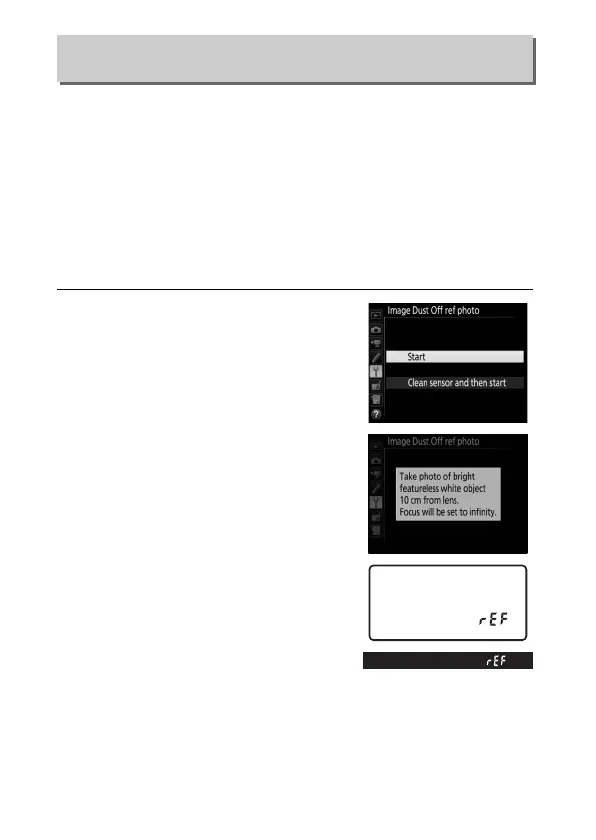
1 Choose a start option.
Highlight one of the following
options and press J.
To exit without
acquiring image dust off data, press
G.
• Start: The message shown at right
will be displayed and “rEF” will
appear in the viewfinder and
control panel displays.
• Clean sensor and then start: Select this
option to clean the image sensor
before starting.
The message
shown at right will be displayed
and “rEF” will appear in the
viewfinder and control panel
displays when cleaning is
complete.
Image Dust Off Ref Photo
G button ➜ B setup menu



 To Next Page