35Menu Guide
❚❚ Restoring Default Settings
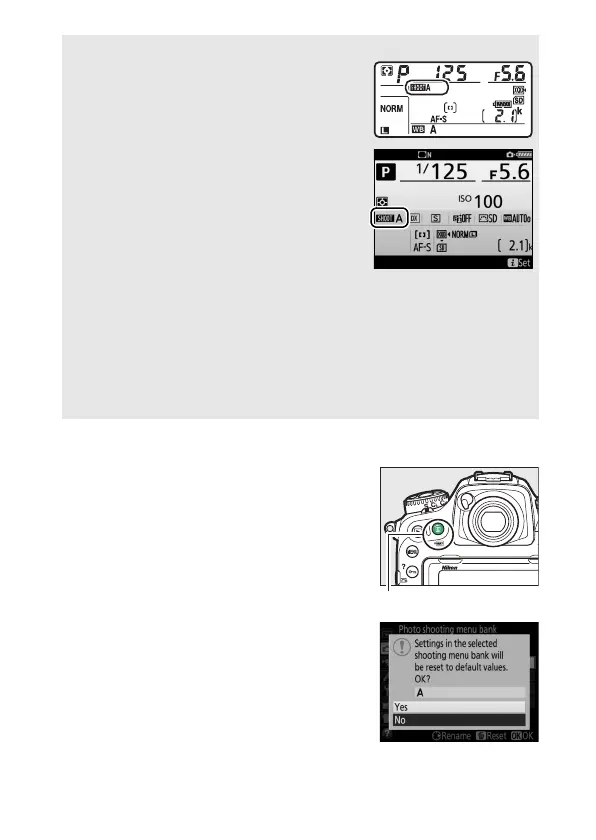
To restore default settings, highlight a
bank in the Photo shooting menu bank
menu and press O (Q).
A confirmation
dialog will be displayed; highlight Ye s
and press J to restore default settings
for the selected bank.
See page 11 for a
list of default settings.
A Photo Shooting Menu Bank
The control panel and information displays
show the current photo shooting menu
bank.
A See Also
Exposure and flash modes, shutter speed, and aperture can be
included in photo shooting menu banks using the Extended photo
menu banks option in the photo shooting menu (0 36).
For
information on using the controls on the camera body to select the
photo shooting menu bank, see Custom Setting f1 (Custom control
assignment, 0 97).



 To Next Page