85
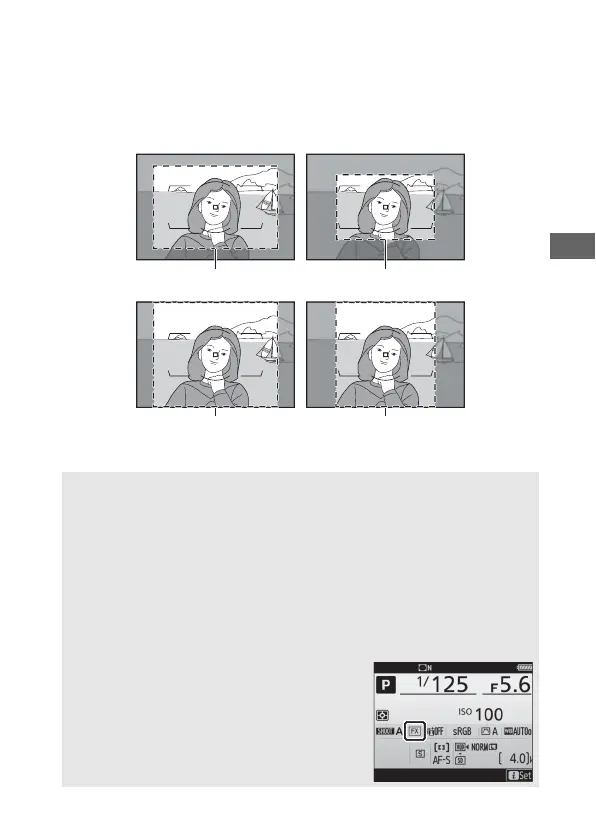
❚❚ The Viewfinder Mask Display
If On is selected for Image area > Viewfinder mask display in
the photo shooting menu, the area outside the 1.2× (30×20),
DX (24×16), 5:4 (30×24), and 1:1 (24×24) crops will be shown
in gray in the viewfinder.
1.2× (30×20) DX (24×16)
5 : 4 (30×24) 1 : 1 (24×24)
A DX Lenses
DX lenses are designed for use with DX format cameras and have a
smaller angle of view than lenses for 35 mm format cameras. If Auto
DX crop is off and an option other than DX (24×16) (DX format) is
selected for Image area when a DX lens is attached, the edges of the
image may be eclipsed. This may not be apparent in the viewfinder,
but when the images are played back you may notice a drop in
resolution or that the edges of the picture are blacked out.
A Image Area
The selected option is shown in the
information display.



 To Next Page