10
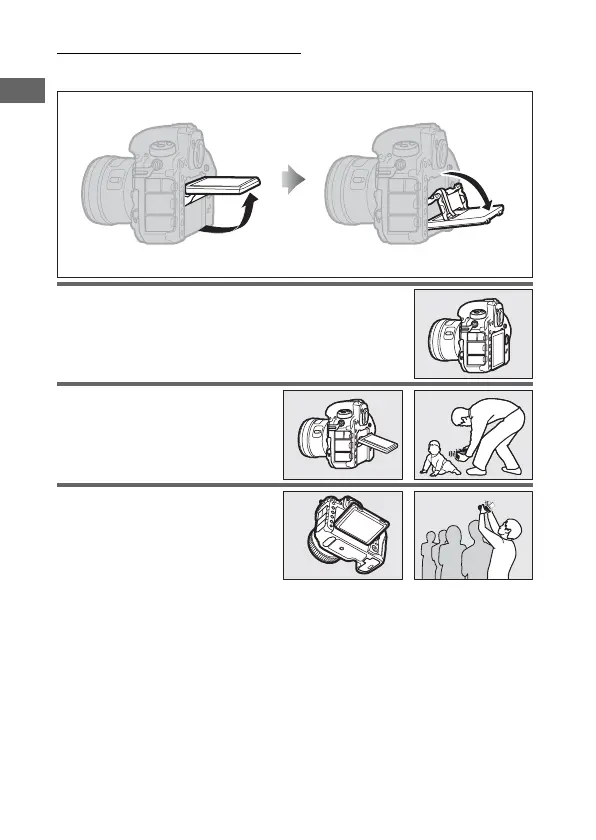
Using the Tilting Monitor
The monitor can be angled and rotated as shown below.
Normal use: The monitor is
normally used in storage
position.
Low-angle shots: Tilt the monitor
up to take shots in live view with
the camera held low.
High-angle shots: Tilt the monitor
down to take shots in live view
with the camera held high.



 To Next Page