68
Image Area: Choosing a Movie Crop
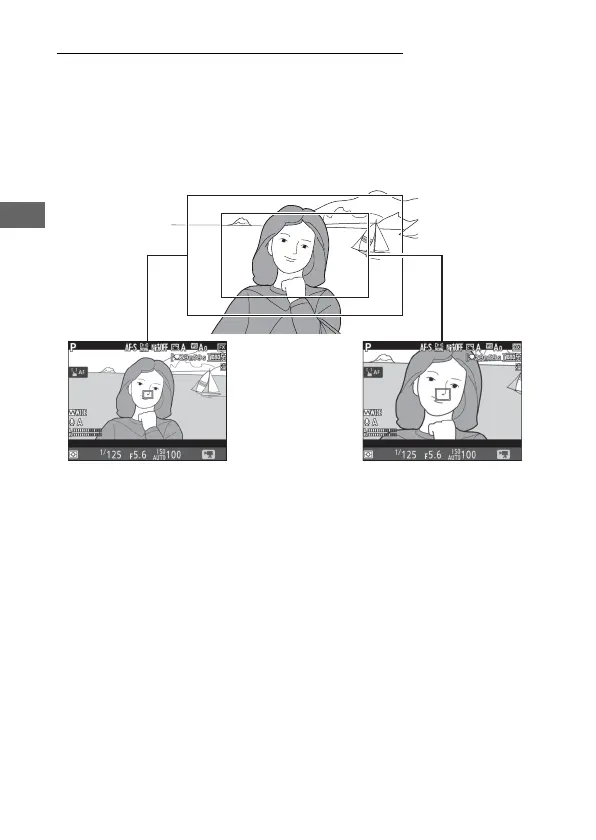
You can choose an image area using the Image area > Choose
image area option in the movie shooting menu. Select FX to
shoot movies in what is referred to as “FX-based movie format”,
DX to shoot in “DX-based movie format”. The differences
between the two are illustrated below.
The sizes of the areas recorded are approximately 35.9 ×
20.2 mm (FX-based movie format) and 23.5 × 13.2 mm (DX-
based movie format). Movies shot with a DX-format lens and On
selected for Image area > Auto DX crop (0 84) in the movie
shooting menu are recorded in DX-based movie format, as are all
movies (regardless of the lens used or the option selected for
Image area > Choose image area) with a frame size of 1920 ×
1080 (slow-mo). Enabling electronic vibration reduction by
selecting On for Electronic VR in the i-button menu reduces
the size of the crop, slightly increasing the apparent focal length.
FX DX



 To Next Page