224
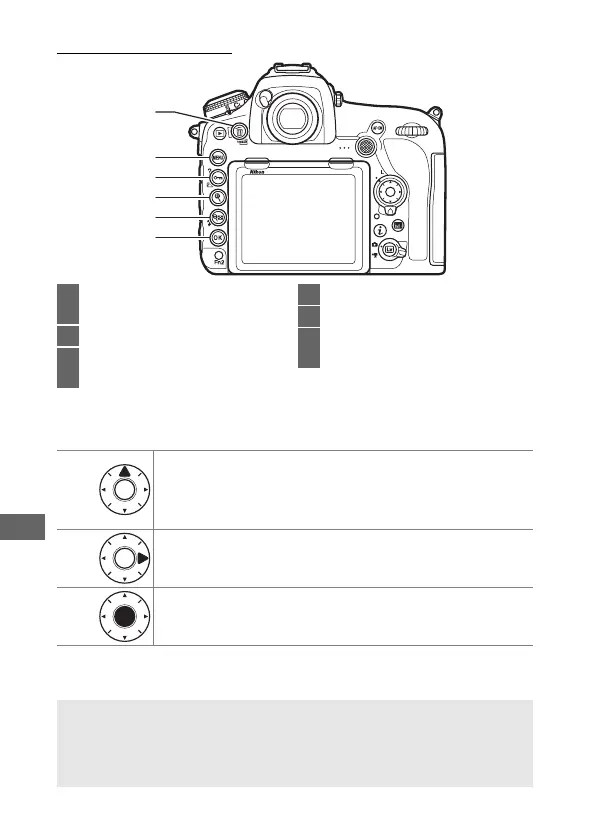
Playback Controls
❚❚ Using the J Button with the Multi Selector
1
2
3
4
5
6
1 O (Q): Delete the current
picture.......................................... 245
2 G: View the menus ............... 248
3 L (Z/Q): Protect the current
picture.......................................... 240
4 X: Zoom in ................................... 238
5 W (M)
: View multiple images
... 223
6 J: Use in combination with the
multi selector as described below
J +
Display slot/folder selection dialog. To choose card and
folder from which pictures are played back, highlight
slot and press 2 to display list of folders, then highlight
folder and press J.
J +
Create retouched copy of current photograph (0 278).
J +
Upload photographs over a wireless or Ethernet network
when a WT-7 is attached to the camera (0 296).
A Two Memory Cards
If two memory cards are inserted, you can select a memory card for
playback by pressing the W (M) button when 72 thumbnails are
displayed.



 To Next Page