190
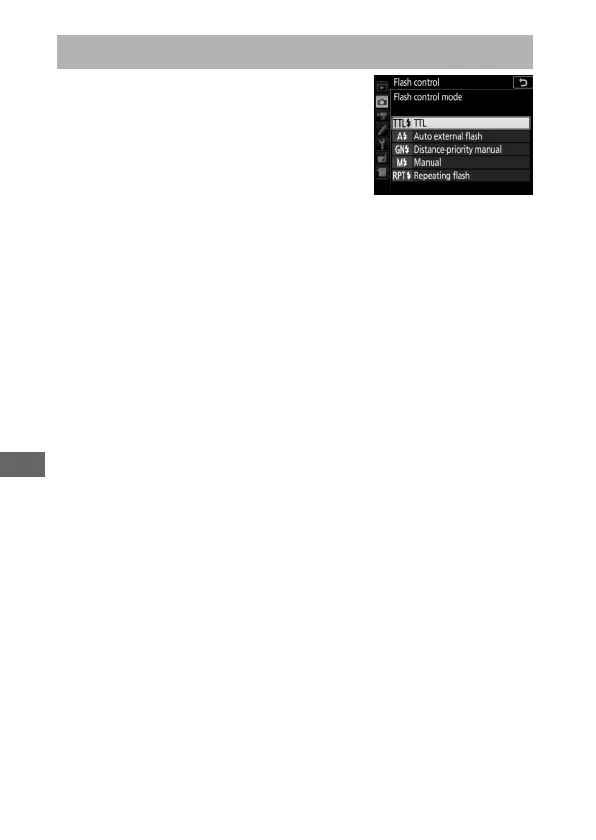
When a flash unit that supports unified
flash control (an SB-5000, SB-500, SB-400,
or SB-300) is mounted on the camera, the
flash control mode, flash level, and other
flash settings can be adjusted using the
Flash control > Flash control mode
item in the photo shooting menu (in the
case of the SB-5000, these settings can also be adjusted using
the controls on the flash unit). The options available vary with
the flash used (0 288), while the options displayed under Flash
control mode vary with the mode selected. Settings for other
flash units can only be adjusted using flash unit controls.
• TTL: i-TTL mode. In the cases of the SB-500, SB-400, and SB-300,
flash compensation can be adjusted using the W (M) button
(0 194).
• Auto external flash: In this mode, output is adjusted automatically
according to the amount of light reflected by the subject; flash
compensation is also available. Auto external flash supports
“auto aperture” (qA) and “non-TTL auto” (A) modes; non-TTL
auto is selected automatically if a non-CPU lens is attached
without specifying the focal length and maximum aperture
using the Non-CPU lens data option in the setup menu
(0 218). See the flash unit manual for details.
• Distance-priority manual: Choose the distance to the subject; flash
output will be adjusted automatically. Flash compensation is
also available.
On-Camera Flash Photography



 To Next Page