212
During focus shift, the camera automatically varies focus over a
series of photographs. This feature can be used to take photos
that will later be combined using focus stacking. Before using
focus shift, rotate the focus mode selector to AF and choose a
release mode other than E.
❚❚ Focus Shift Photography
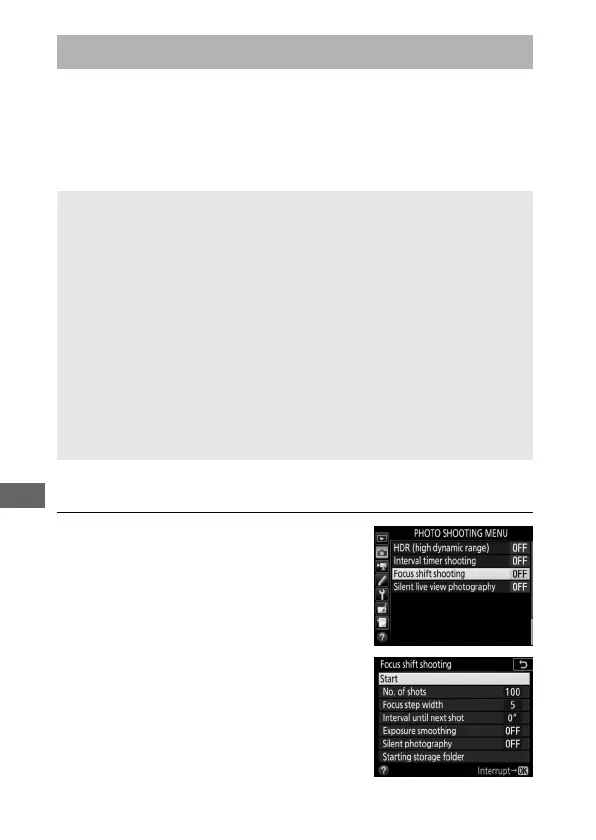
1 Select Focus shift shooting.
Highlight Focus shift shooting in the
photo shooting menu and press 2 to
display focus shift options.
Focus Shift Photography
D Before Shooting
Use an AF-S or AF-P lens. After mounting the appropriate lens, choose
an exposure mode of A or M so that aperture does not change during
shooting (recommended), then take a test shot at current settings and
view the results in the monitor. Once settings have been adjusted to
your satisfaction, close the viewfinder eyepiece shutter to prevent light
entering via the viewfinder interfering with photographs and
exposure.
Use of a tripod is recommended. Mount the camera on a tripod before
shooting begins. To ensure that shooting is not interrupted, be sure
the camera battery is fully charged. If in doubt, charge the battery
before use or use an AC adapter and power connector (available
separately).



 To Next Page