213
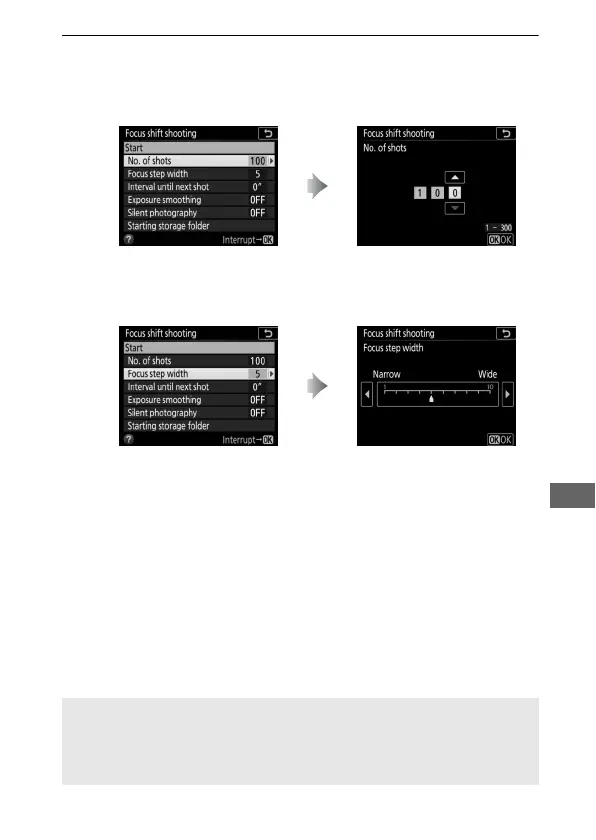
2 Adjust focus shift settings.
Adjust focus shift settings as described below.
• To choose the number of shots:
• To choose the amount the focus distance changes with each shot:
Highlight No. of shots and
press 2.
Choose the number of shots
(max. 300) and press J.
Highlight Focus step width and
press 2.
Press 4 to reduce the focus step
width, 2 to increase. Press J to
proceed.
A Close-ups
Because depth of focus is reduced at short focal lengths, we
recommend choosing smaller focus steps and increasing the number
of shots when photographing subjects close to the camera.



 To Next Page