219
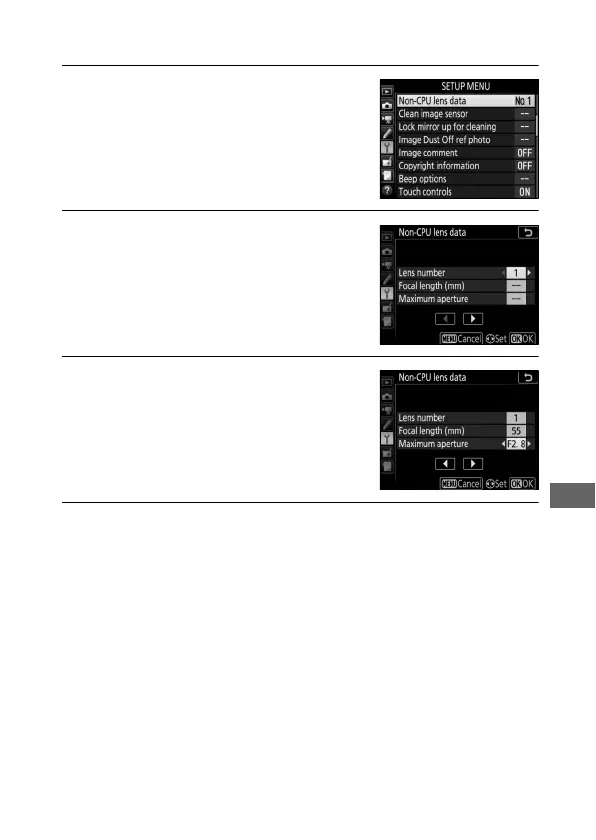
To enter or edit data for a non-CPU lens:
1 Select Non-CPU lens data.
Highlight Non-CPU lens data in the
setup menu and press 2.
2 Select a lens number.
Highlight Lens number and press 4
or 2 to choose a lens number.
3 Enter the focal length and aperture.
Highlight Focal length (mm) or
Maximum aperture and press 4 or
2 to edit the highlighted item.
4 Save settings and exit.
Press J. The specified focal length and aperture will be
stored under the chosen lens number.



 To Next Page