298
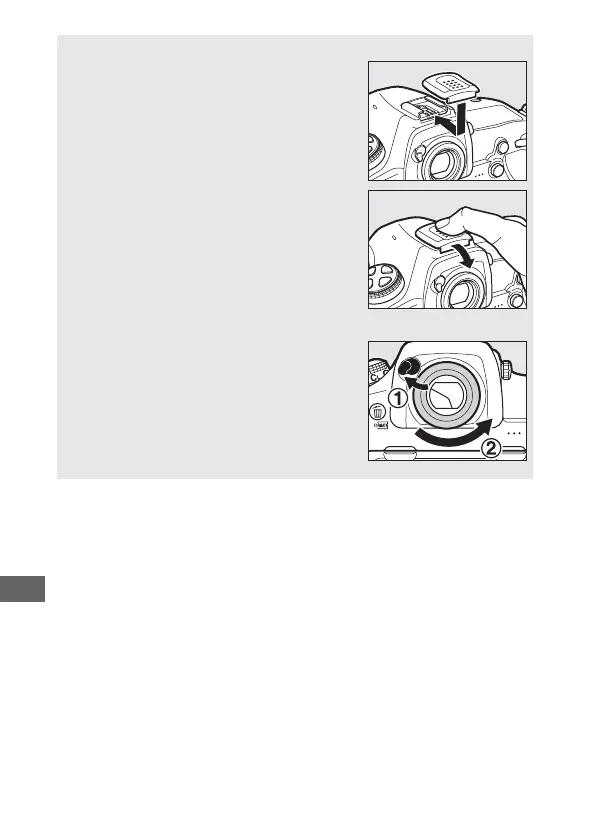
A Attaching and Removing the Accessory Shoe Cover
The accessory shoe cover (available
separately) slides into the accessory shoe as
shown.
To remove the cover, hold the camera firmly,
press the cover down with a thumb and slide
it in the direction shown.
A Attaching and Removing the Supplied Eyepiece
After closing the eyepiece shutter and
releasing the latch (q), lightly grasp the
supplied DK-17F eyepiece in two fingers and
rotate and remove as shown (w). To
reattach, rotate the eyepiece in the opposite
direction. Optional eyepieces can be
attached and removed in the same fashion.



 To Next Page