308
❚❚ Removing Batteries
Be careful not to drop batteries or the holder.
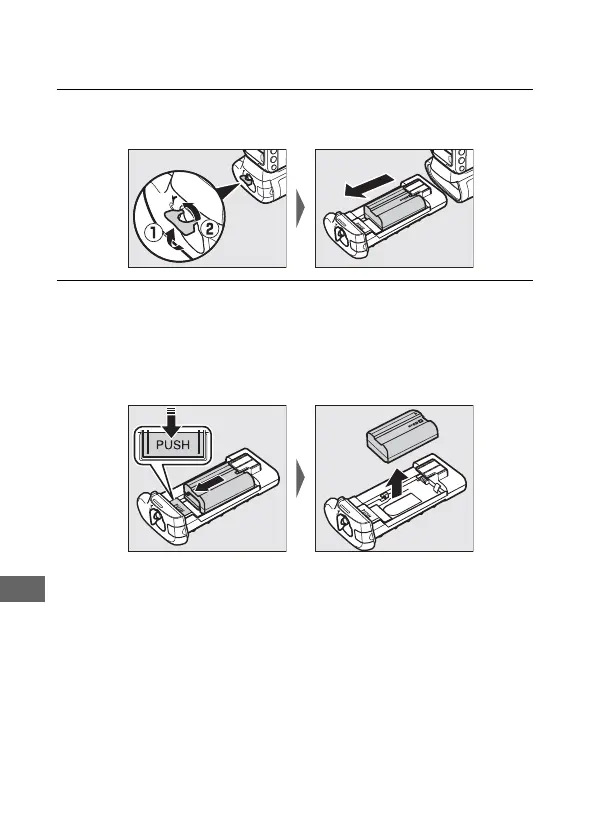
1 Unlatch the MB-D18 by rotating the battery-chamber latch
to A and remove the battery or battery holder.
2 Remove the battery or batteries from the holder or BL-5
battery-chamber cover.
EN-EL15a: While pressing the holder PUSH button, slide the
battery toward the button. The battery can then be removed
as shown.
The procedure for removing the EP-5B power connector is
the same as that for the EN-EL15a.



 To Next Page