27
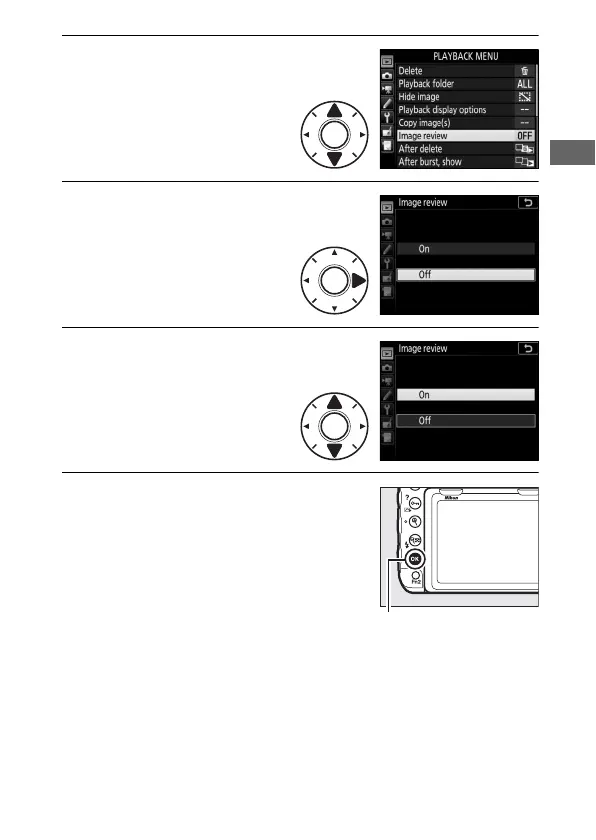
5 Highlight a menu item.
Press 1 or 3 to highlight a
menu item.
6 Display options.
Press 2 to display options
for the selected menu item.
7 Highlight an option.
Press 1 or 3 to highlight
an option.
8 Select the highlighted item.
Press J to select the highlighted item.
To exit without making a selection,
press the G button.



 To Next Page