4
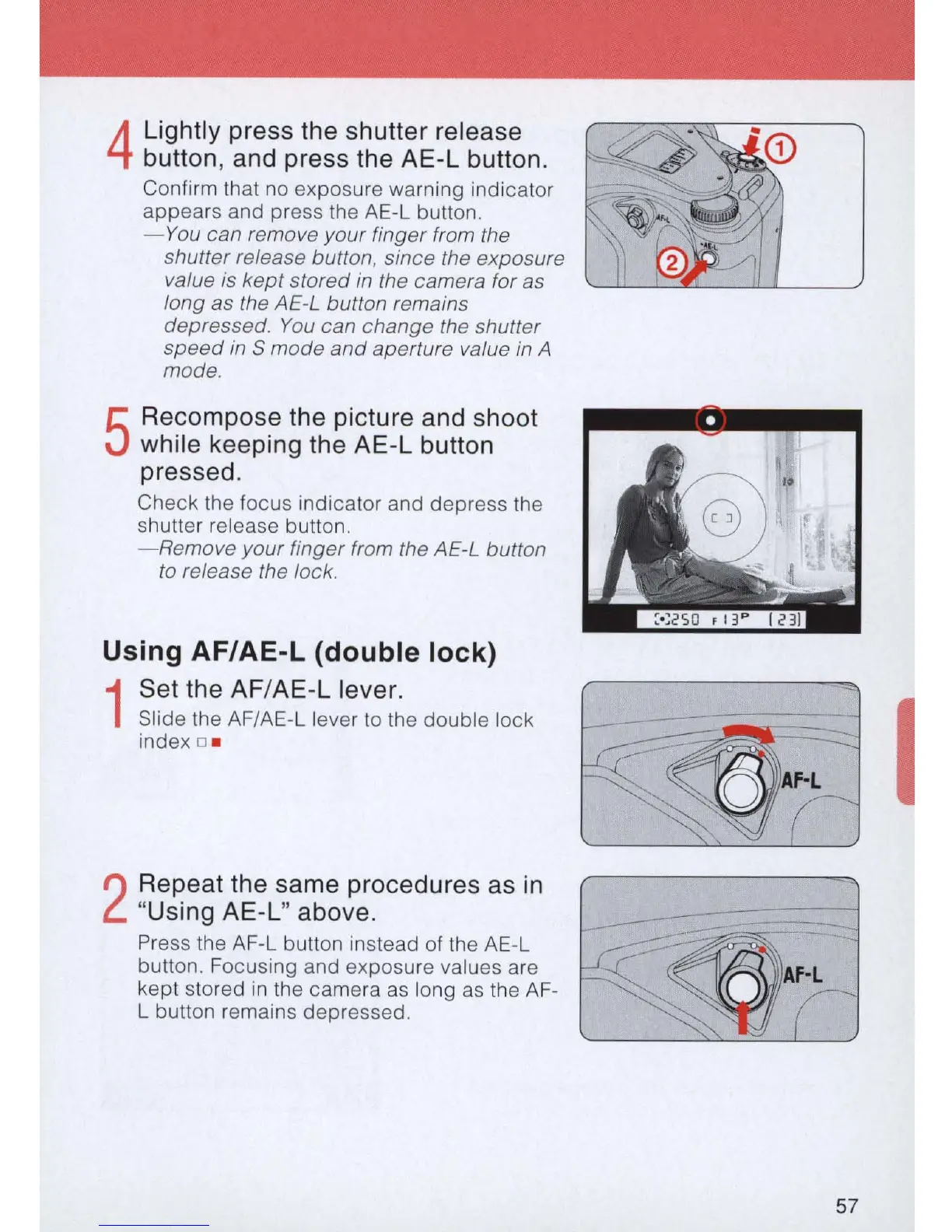
Lightly press the shutter release
button, and press the AE-L button.
Confirm that no exposure warning indicator
appears and press the AE-L button.
-You
can remove your finger from the
shutter release button, since the exposure
value
is
kept stored
in
the camera for as
long as the AE-L button remains
depressed.
You
can change the shutter
speed
in
S mode
and
aperture value in A
mode.
5
Recompose the picture and shoot
while keeping the AE-L button
pressed.
Check the focus indicator and depress the
shutter release button.
- Remove
your
finger from the AE-L button
to
release the lock.
Using AF/AE-L (double lock)
1
Set the AF/
AE
-L lever.
Slide the AF/AE-L lever
to
the double lock
index o .
2
Repeat the same procedures as
in
"Using AE-L" above.
Press the AF-L button instead of
th
e AE-L
button. Focusing and exposure values are
kept stored
in
the camera
as
long
as
the AF-
L button remains depressed.
~-
~
'
~
~
i
57



 To Next Page