I
Exposure
compensation
Using Exposure Compensation
1
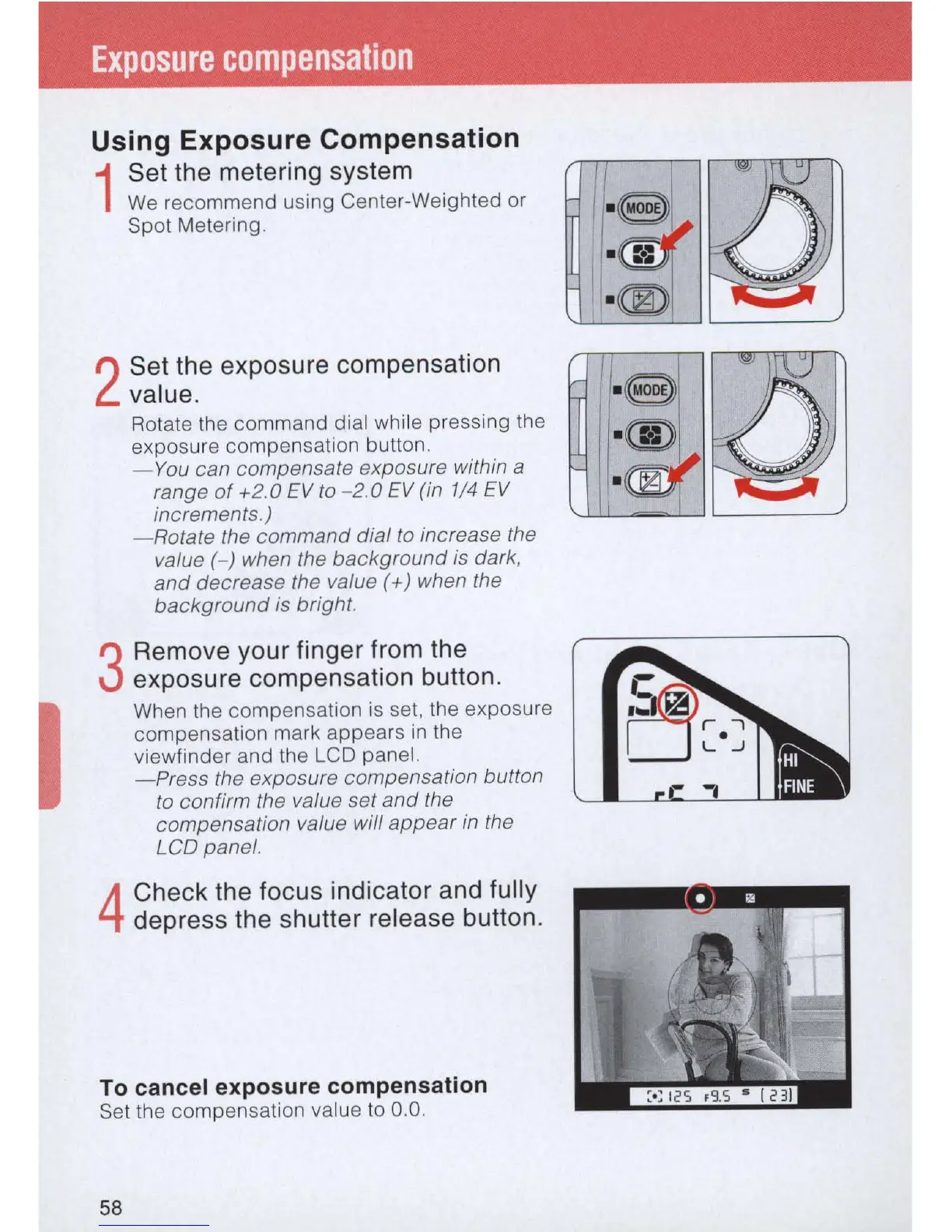
Set the metering system
We
recommend using Center-Weighted or
Spot Metering.
2
Set the exposure compensation
value.
Rotate the command dial while pressing the
exposure compensation button.
-
You
can compensate exposure within a
range
of
+2.0
EV
to
- 2.0
EV
(in 1/4
EV
increments.)
-Rotate
the command dial
to
increase the
value (-) when the background
is
dark,
and
decrease the value
(+)
when the
background
is
bright.
3
Remove your finger from the
exposure compensation button.
When the compensation
is
set, the exposure
compensation mark appears
in
the
viewfinder and the LCD panel.
- Press the exposure compensation button
to
confirm the value set
and
the
compensation value will appear
in
the
LCD panel.
4
Check the focus indicator and fully
depress the shutter release button.
To cancel exposure compensation
Set the compensation value
to
0.
0.
58



 To Next Page