22
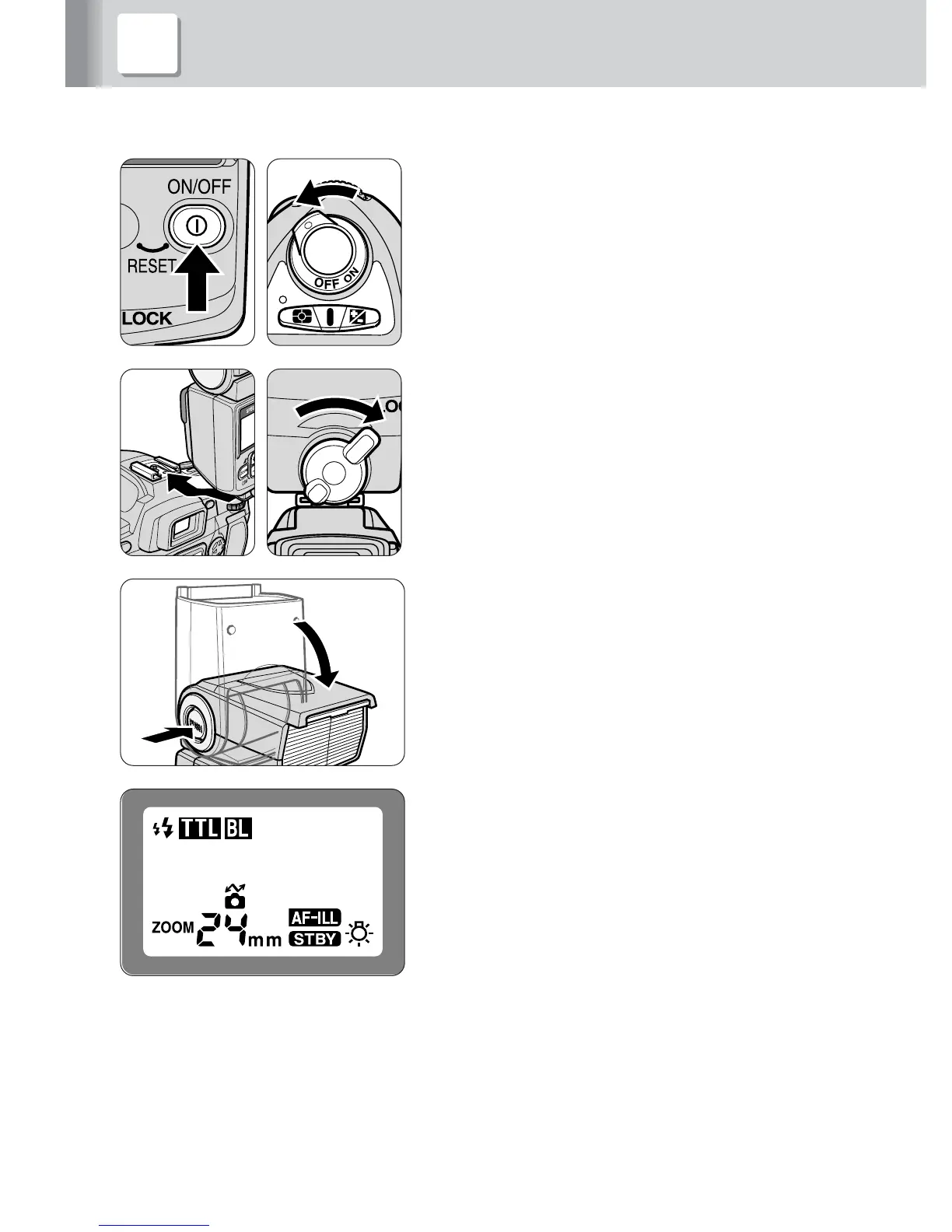
3 Attach the SB-600 to the camera and adjust
1
Make sure the SB-600 and camera body
are turned off.
2
Rotate the mounting-foot lock lever to the
left, slide the SB-600’s mounting foot into
the camera’s accessory shoe and turn the
lock lever to the right.
3
Hold down the flash head tilting/rotating
lock-release button to adjust the flash
head to the horizontal/front position.
4
Turn on the SB-600 and the camera body.
• The zoom-head position is automatically
adjusted according to the lens focal length
when the SB-600 is used with cameras
compatible with CLS, digital SLRs not
compatible with CLS and cameras in Groups I
to II in combination with a CPU lens.
• When the SB-600 is used with cameras other
than those listed above, or you want to adjust
the zoom-head position manually, refer to
“Setting the zoom-head position” (p. 40).



 To Next Page