24
1
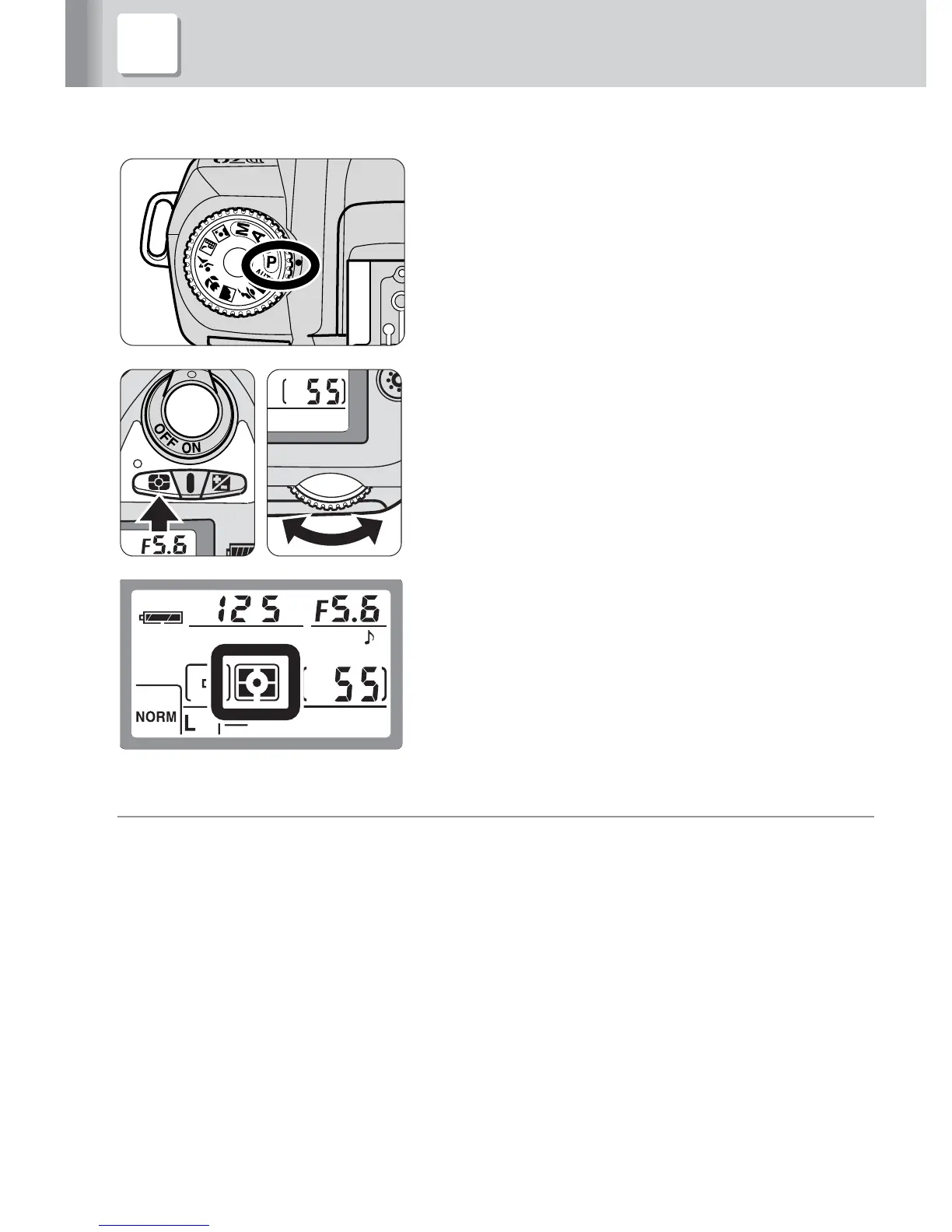
Set the camera’s exposure mode to
Programmed Auto (P).
• If Programmed Auto (P) cannot be set, select
another exposure mode. See the opposite page.
2
Set the camera’s metering system to
Matrix Metering
Y
.
• If Matrix Metering
Y
cannot be set, select
Center-Weighted Metering
W
.
t
Exposure mode and metering system
The camera’s available exposure mode and metering system vary, depending
on the cameras and lenses in use or the SB-600’s flash modes. For details,
refer to “Detailed operation” (p. 31), “TTL auto flash modes available with the
SB-600” (p. 78) and your camera’s instruction manual.
• In the Programmed Auto (P) mode, the shutter speed is automatically set to the
camera’s sync shutter speed.
4 Setting the camera’s exposure mode and



 To Next Page