26
1
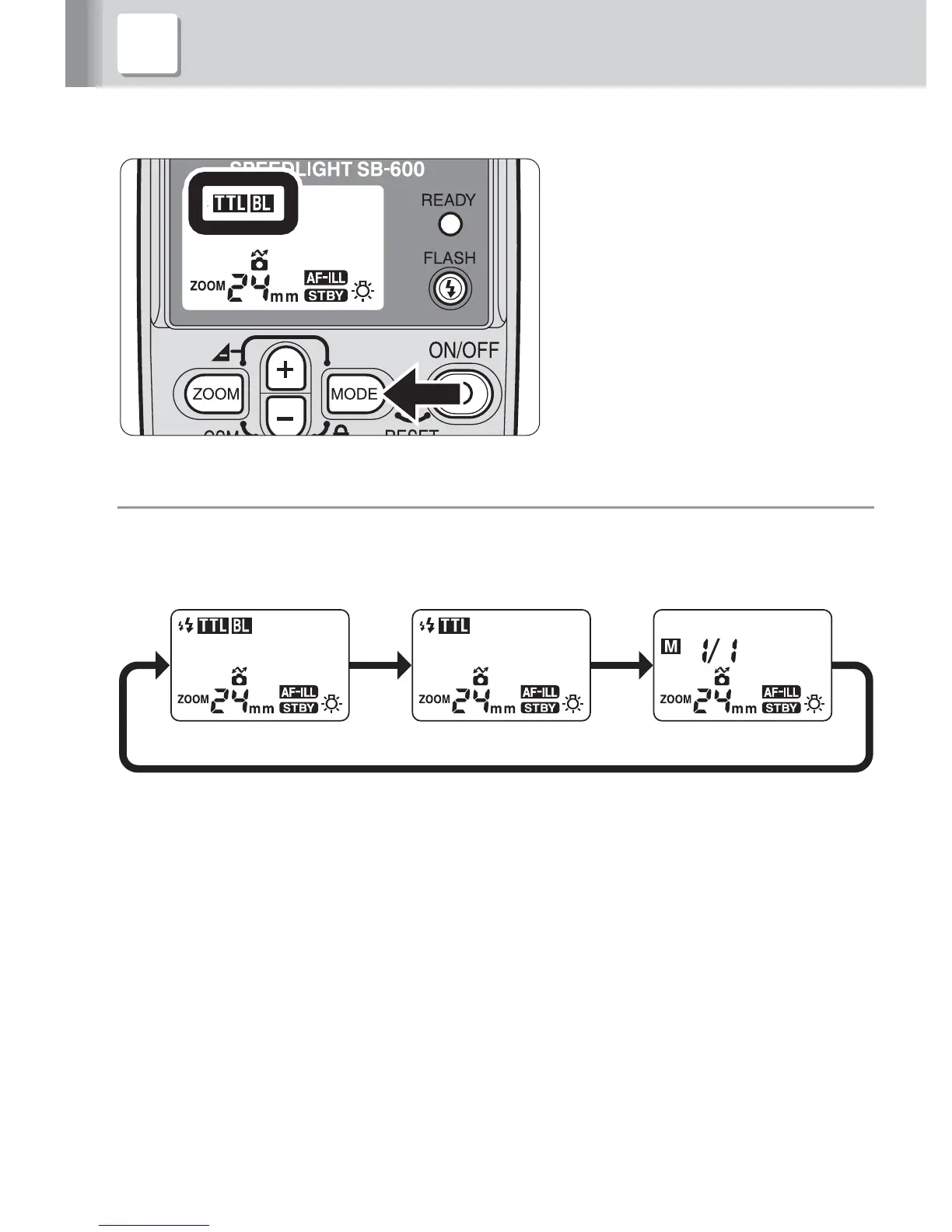
Press the
a
button to set
the flash mode.
• Display
Do
on the
LCD panel.
●
●
●
Selecting the flash mode
The available flash mode changes each time the
a
button is pressed.
• The information above appears on the LCD panel when the SB-600 is used with digital
SLR cameras compatible with CLS.
• Note that when pressing the
a
button, only the usable flash modes appear;
unavailable modes will be skipped.
• The SB-600’s available flash modes vary, depending on the cameras and lenses in use
or the camera’s exposure mode and metering system. Refer to “Detailed operation”
(p. 31), “TTL auto flash modes available with the SB-600” (p. 78) and your camera’s
instruction manual.
5 Setting the SB-600’s flash mode



 To Next Page