63
1
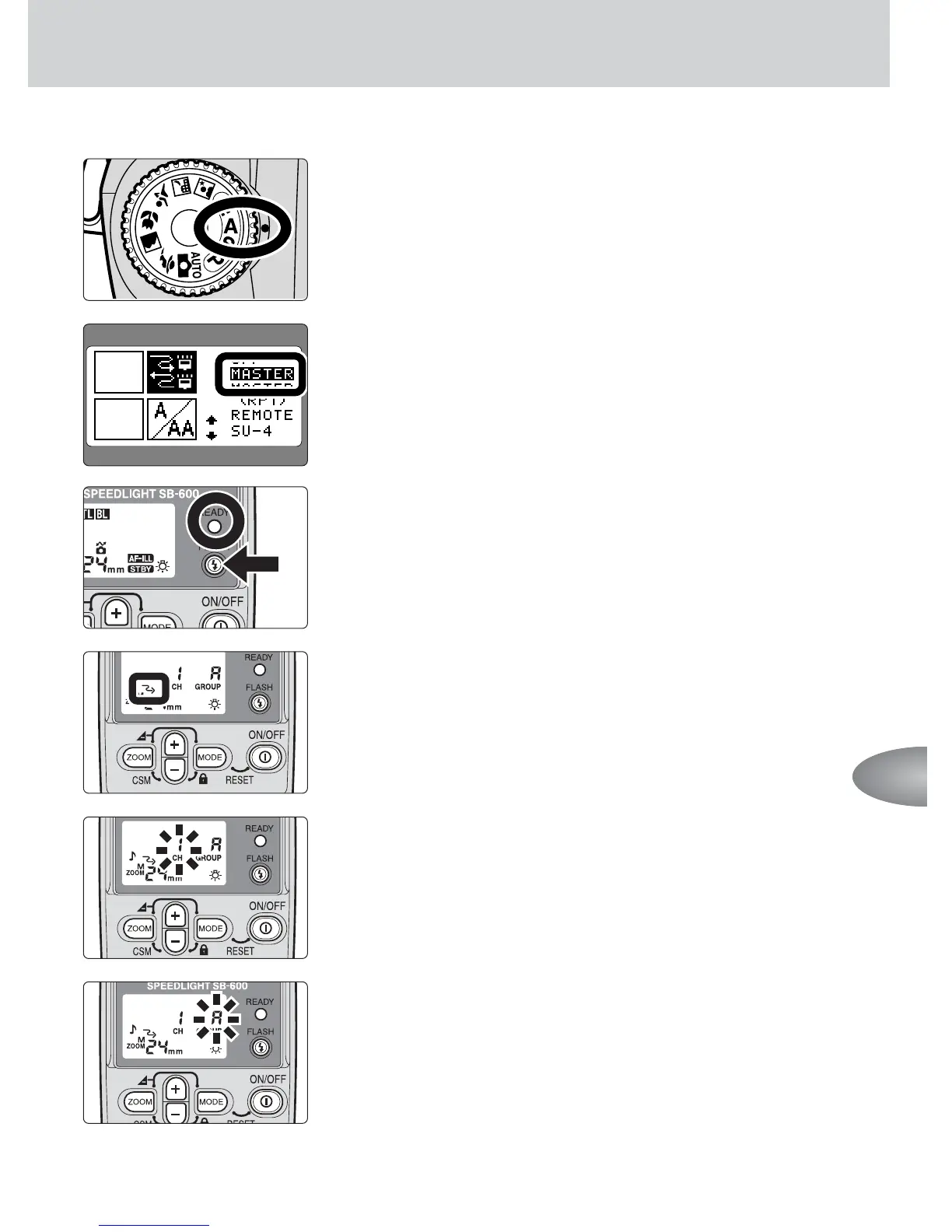
Set the camera’s exposure mode to Aperture-
Priority Auto (A).
2
Set up the on-camera Speedlight with CLS.
• Refer to your Speedlight instruction manual.
3
Set up remote flash units A and B. Turn the power
on, then confirm that the ready-lights come on.
• Use a tripod or the Speedlight Stand AS-19 for
placement of the remote flash units (p. 59).
4
Set the remote flash units A and B to the wireless
remote flash mode.
5
Set the channel number of the remote flash units
A and B to 1.
• Be sure to choose the same channel number as set
on the master flash unit.
6
Set the group of the remote flash units A and B.
• Set the remote flash unit A to group A and the remote
flash unit B to group B.
Advanced operations



 To Next Page