71
Advanced operations
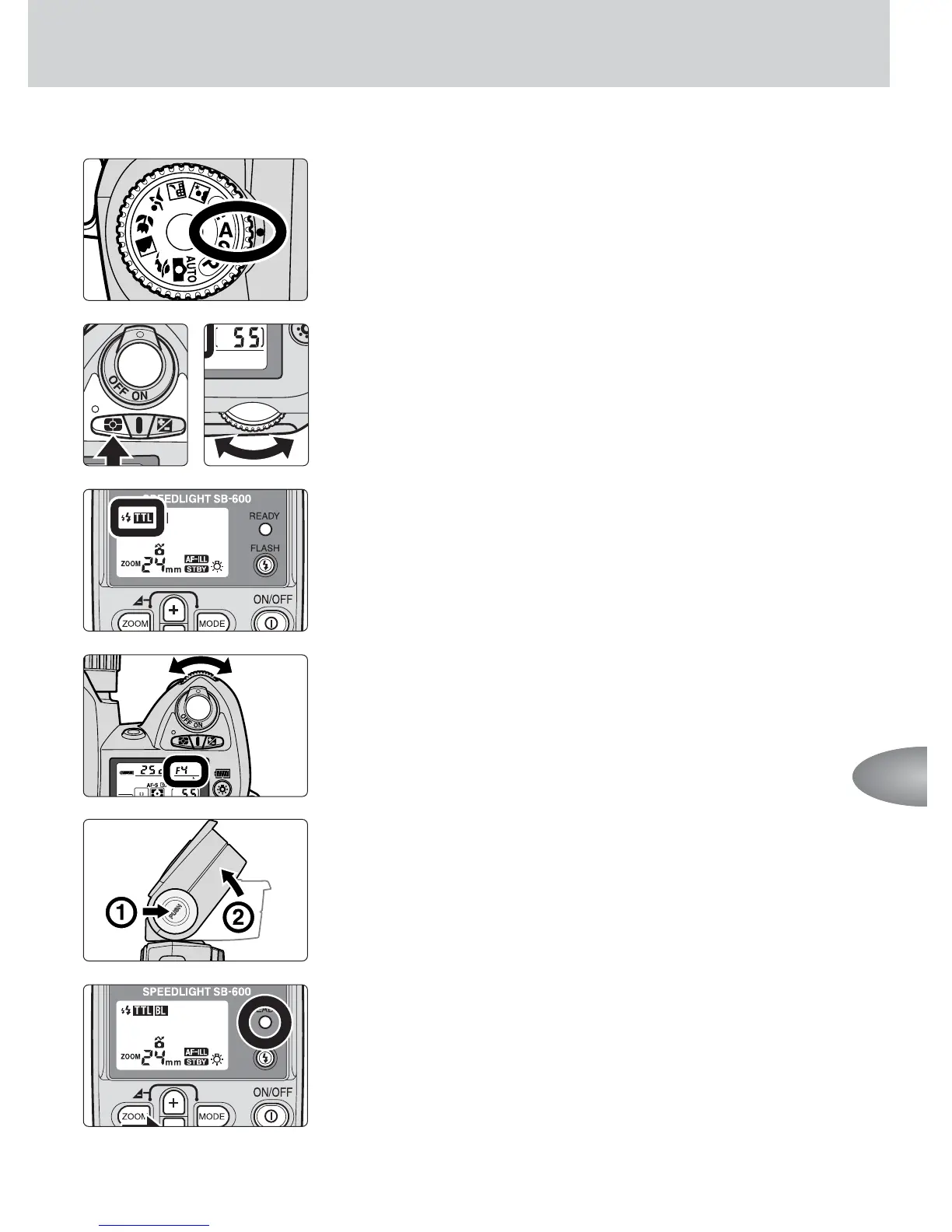
1
Set the camera’s exposure mode to Aperture-
Priority Auto (A) or Manual (M).
2
Set the camera’s metering system to Matrix
Metering
Y
or Center-Weighted Metering
W
.
3
Set the flash mode to TTL auto flash.
4
Set the camera’s aperture.
• Between 2 and 3 stops of light can be lost when
using bounce flash, compared with normal flash
photography, so use a wider aperture.
5
Adjust the flash head.
6
Make sure that the ready-light is on, then shoot.
• When the flash has fired at its maximum output and
underexposure may have occurred, the ready-light on
the SB-600 blinks for approx. 3 sec. To compensate,
use a wider aperture or move closer to the subject
and reshoot.



 To Next Page