The robot is turned on by pressing the power button on the back panel.
When the robot is starting on , the led ring displays white light.
After the robot start up completed, the indication of led ring will display blue light, the robot can be used
normally at this time.
The robot is turned off by pressing the same power button on the back panel.
When pressing the button ,the robot will start the Shutdown sequence. The led ring will display white
Breath for 2 seconds.
Warning
Make sure the robot is in home position when powering off or on the robot.
Digital inputs
The electrical specifications of the digital inputs are showen below:
Connector Settings Min Max Units
Digital inputs: Type –> NPN
[ DI1 - DI2 -DI3 ]
Voltage 0 5 V
Current 0 5 mA
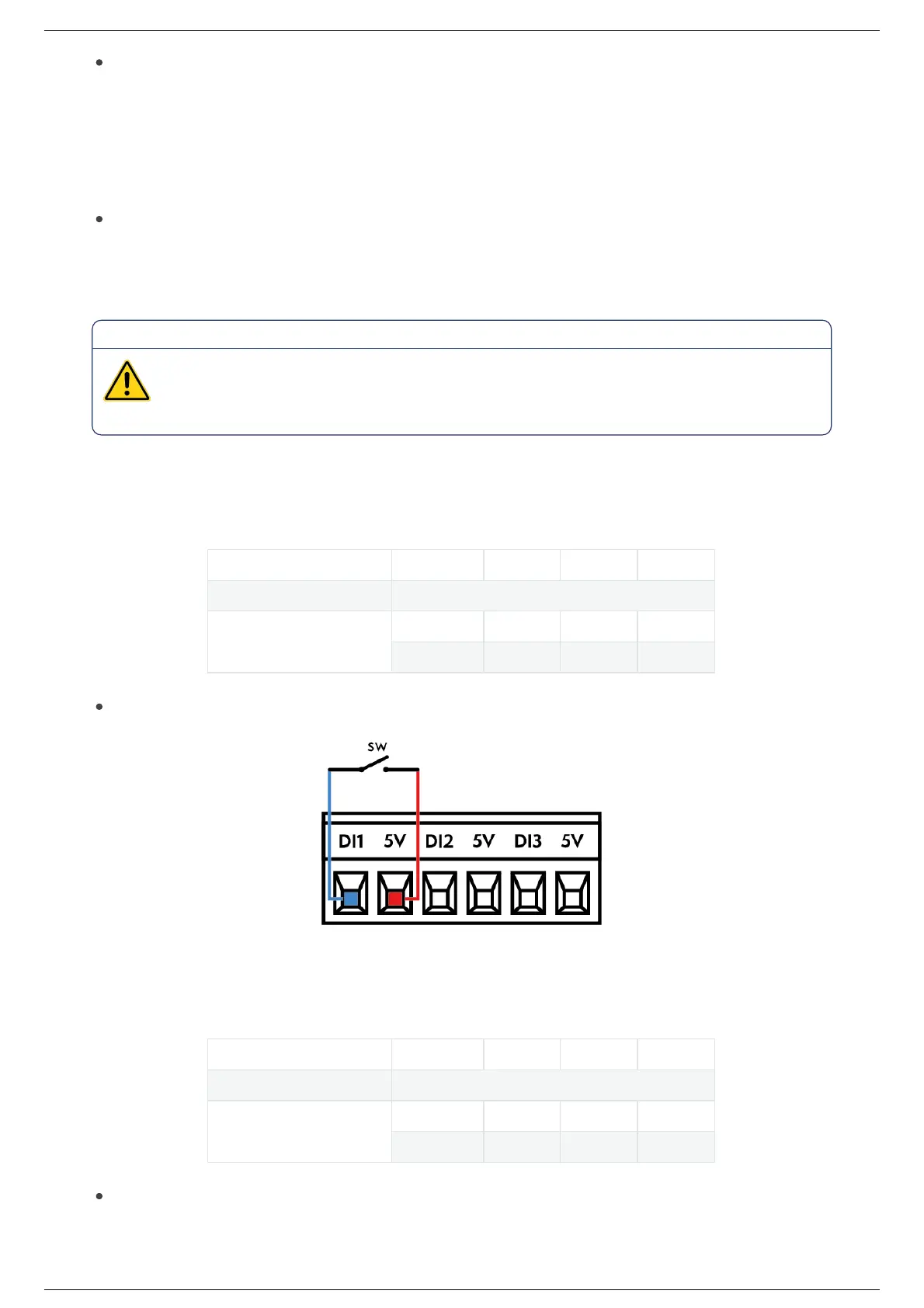
This illustration below shows how to connect a switch to a digital input.
Digital outputs
The electrical specifications of the digital outputs are showen below:
Connector Settings Min Max Units
Digital outputs: Type –> PNP
[ DO1 - DO2 -DO3 ]
Voltage 0 5 V
Current 0 250 mA
This example shows how to connect a load in order to be controlled from a digital output.
Ned2 User Manual (v1.0.0)Ned2 User Manual (v1.0.0)
2022, Niryo All rights reserved. No part of this document may be reproduced or transmitted in any form or by any means without prior written consent of Niryo SAS



 To Next Page