30
Phone Book (Menu 1)
To access Menu 1, press
then
.
Find Name (Menu 1 1)
1)
Press
then
.
2)
You’ll see
FIND NAME
.
Press
again. The phone prompts you to enter
a name.
3)
Enter the first few letters of the name,
then press ▼, or just press ▼ to scroll
through stored names.
Note: To see stored numbers, press
, then press ▼ to scroll
through them.
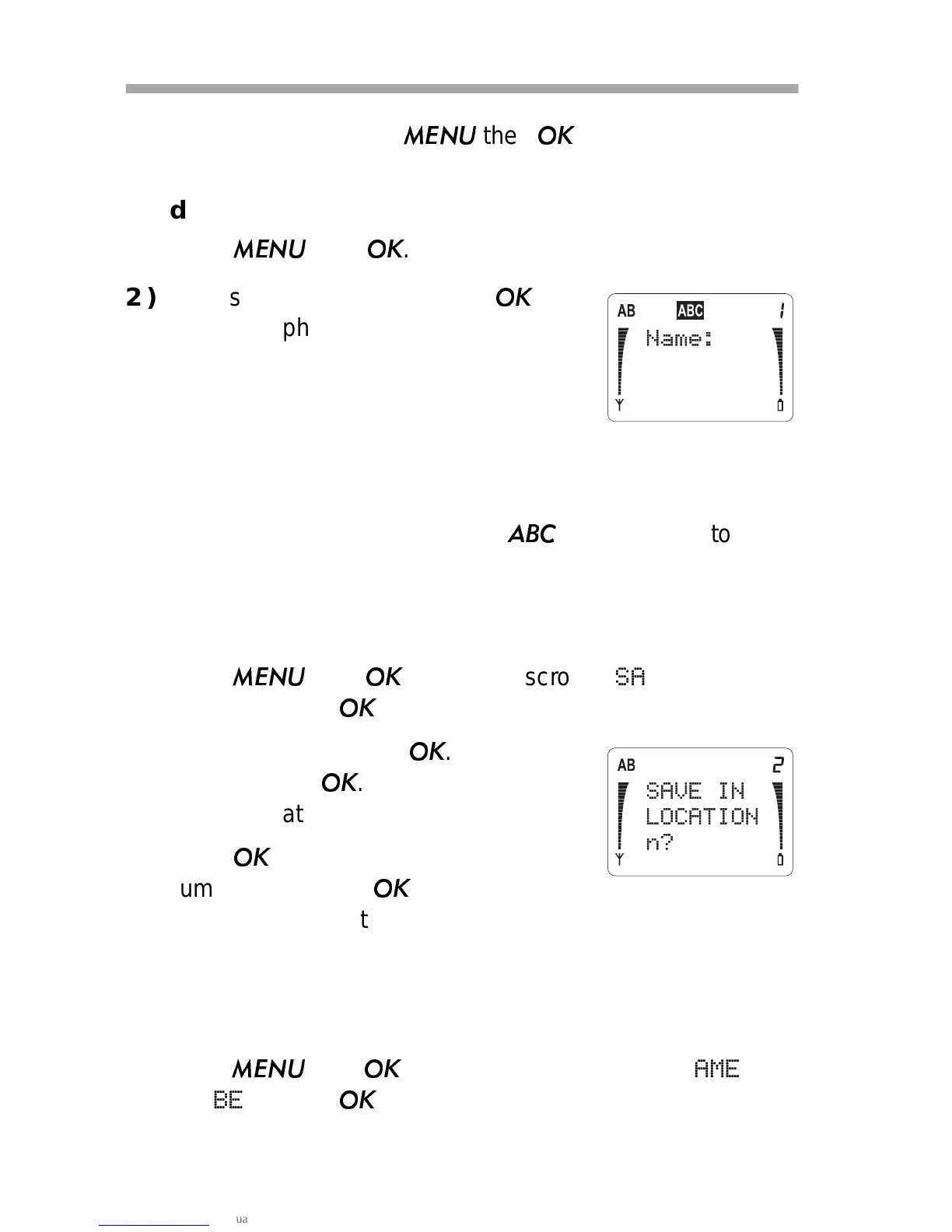
Save Name & Number (Menu 1 2)
1)
Press
then
then ▼
to scroll to
SAVE NAME &
NUMBER
. Press
.
2)
Enter name and press
. Enter num-
ber and press
. The phone sug-
gests a location for saving the entry.
3)
Press
, or enter another location
number then press
. The phone dis-
plays
SAVED and the remaining available memory.
Edit Name or Number (Menu 1 3)
1)
Recall the number from memory.
2)
Press
then
then ▼ to scroll to
EDIT NAME OR
NUMBER
. Press
.



 To Next Page