45
Calling Options (Menu 5 2)
This menu lets you set your phone so that it can only make the
types of calls you specify, or only in certain types of networks.
Note: When calls are restricted, calls may be possible to the
emergency number programmed into your phone (e.g., 911 or
another official emergency number) including calls by emergency
9 dialing.
Carrier Selection (Menu 5 2 1)
Your phone uses a carrier network (also called a cellular system)
to make and receive calls. Generally you sign up for service with
a particular “carrier” (your cellular service provider). This is called
your “Home system” and usually you want the phone to use it.
But there may be times when you can’t or don’t use your Home
system (for example when you travel). Then, there’s usually
more than one network your phone can work in. But which one
should it work in? The point of the Carrier Selection menu is to
help your phone make the best choice for you.
A simple fact to know: all cellular systems are either type “A” or
“B”. So your “Home system” is either an “A” or “B” system. Ask
your cellular service provider or dealer which type yours is.
1) Press
then ▼ until you see
CALL SETTINGS. Press
. Press
until you see
CALLING OPTIONS. Press
.
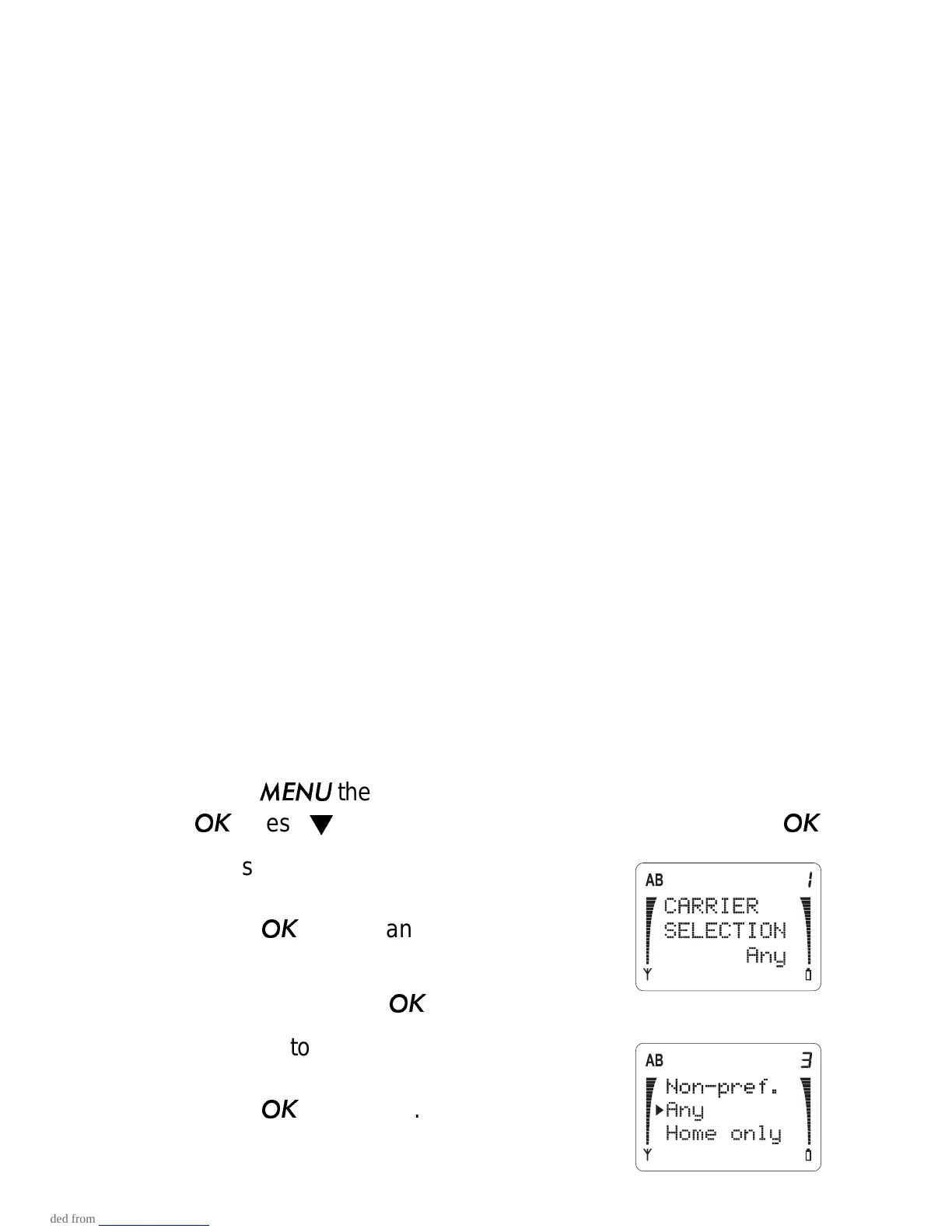
2) Press ▼ to scroll to
CARRIER
SELECTION and the current setting.
Press
if you want to change it.
3) The phone asks for your security code.
Enter it and press
.
4) Press ▼ to move the pointer to the
option you want (described below).
Press
to select it.



 To Next Page