43
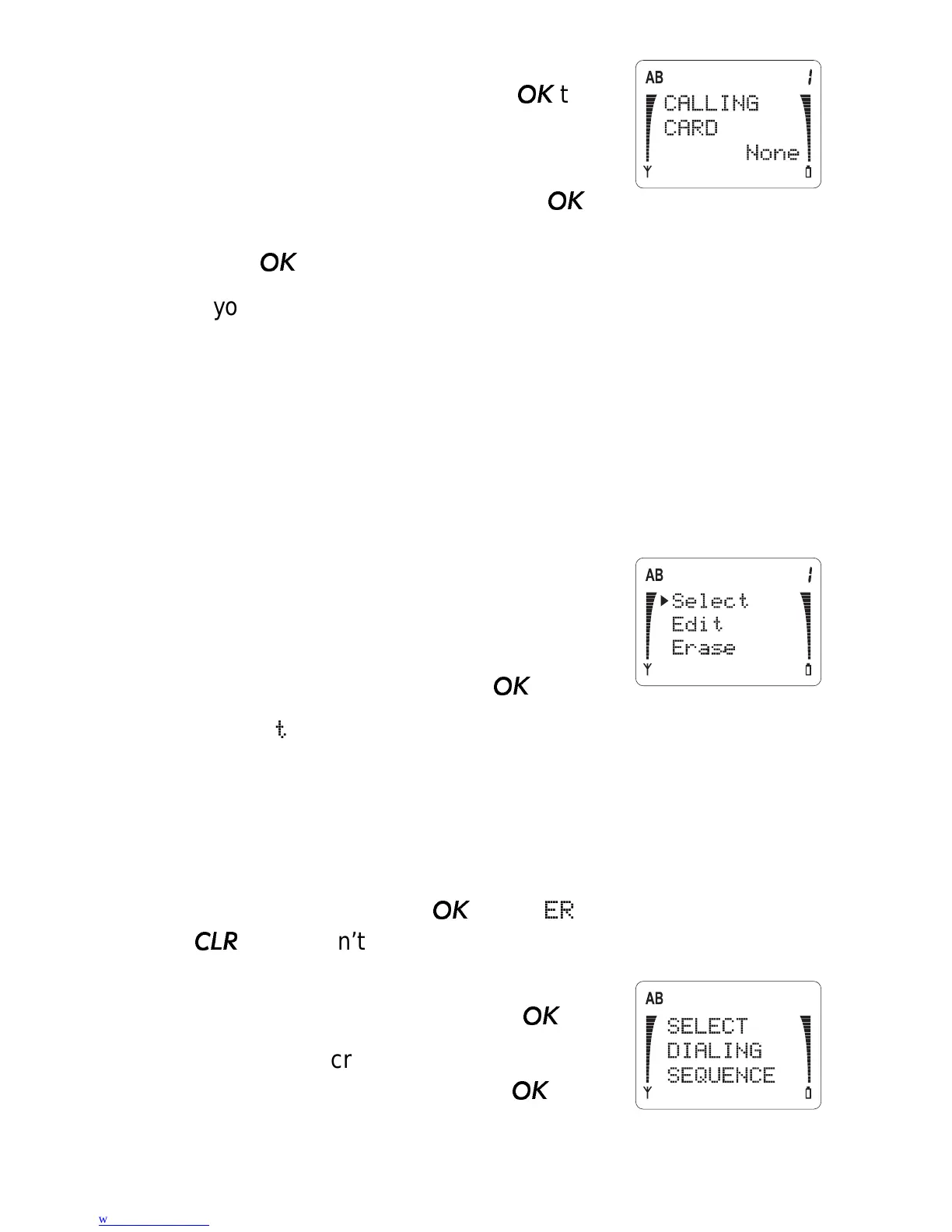
2) You’ll see
CALLING CARD and the
currently selected card. Press
to
change it.
3) Use ▼ to move the pointer to
None,
Card A or Card B, then press
.
When the phone asks for your security code, enter it and
press
.
If you select
None, the phone briefly displays NO CARD
SELECTED
, and no card is selected.
Note: If you’ve already stored card information, and then
later select None, the active card is deselected. However,
stored card information is left intact.
If you select
Card A or Card B, and you’ve never entered
information for the card before, skip to Step 5.
4) If you’ve already entered information
for a Card, you then have the option to
Select
, Edit, or Erase the card.
Use ▼ to move the pointer to the
option you want, and press
.
Select chooses this card as the one to use. The phone
briefly displays
SELECTED.
Edit allows you to change already-entered information,
described in Steps 5 and on below.
Erase erases the stored information. To verify that you
want to do this, press
at the
ERASE? prompt. Press
if you don’t want to erase the stored information.
5) The phone prompts you to
SELECT
DIALING SEQUENCE
. Press
.
Press ▼ to scroll through the 4 dialing
sequence options, and press
to
choose one:



 To Next Page