32
4.6.10.2 Setting the display behaviour of the LED steam
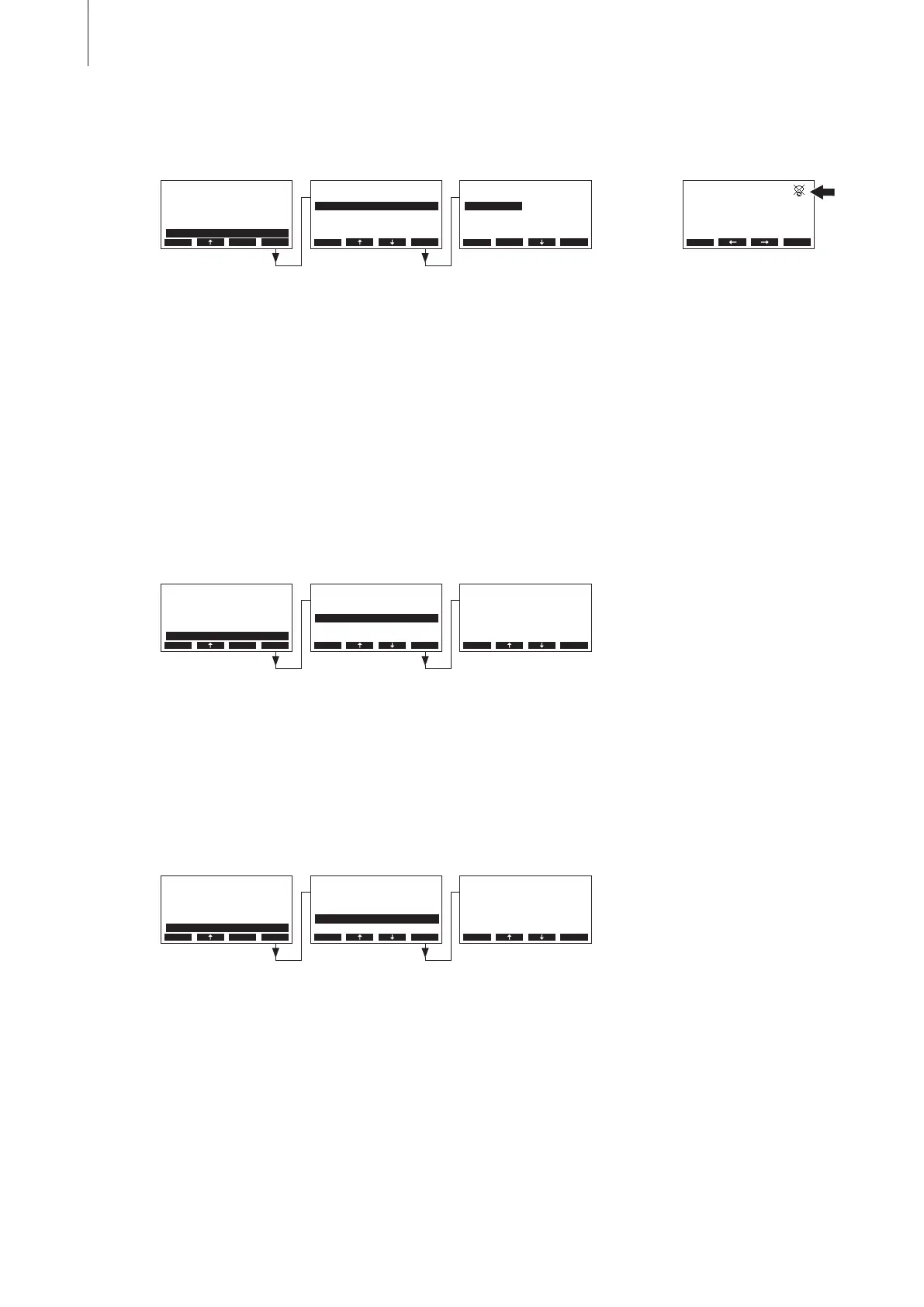
Select “Steam-LED” in the display/LED settings submenu, then press the <Set> key.
In the upcoming modication dialogue select whether the steam LED lights permanently (On) when
steam is produced or the steam LED is switched off after certain period of time (Time-Off).
Factory setting: On
Options: On (Steam LED lights permanently when steam is produced)
Time-Off (Steam LED is switched off after certain period of time, see chap-
ter 4.6.10.3)
Note: if “Time-Off” is selected, the crossed out LED symbol is shown in the upper right corner of the
standard operating display afterwards (see the most right display above).
4.6.10.3 Setting the “Off-Timeout”
Note: this setting appears only if the settings “Backlight” and/or “Steam-LED” are set to “Time-Off”.
Select “Off-Timeout” in the display/LED settings submenu, then press the <Set> key.
In the upcoming modication dialogue set the period of time after which the backlight and/or the
steam LED should be switched off.
Factory setting: 5 minutes
Setting range: 1...60 minutes
4.6.10.4 Setting the contrast
Select “Contrast” in the display/LED settings submenu, then press the <Set> key.
In the upcoming modication dialogue set the desired value for the display contrast.
Factory setting: 30
Setting range: 10 (no display) ... 60 (display turns black)
Display/LED
Steam-LED :Time-O
O-Timeout :5min
Contrast :30
Backlight :On
Brightness :80%
Esc Set
Settings
Water Manag.:Set
Date :31-10-11
Time :12:00
GFCI-Mode :On
Display/LED :Set
Esc Set
Steam-LED
On
Time-O
On
Esc Set
Display/LED
Steam-LED :Time-O
O-Timeout :5min
Contrast :30
Backlight :On
Brightness :80%
Esc Set
O-Timeout
5 min
5 min
Esc Set
Display/LED
Steam-LED :Time-O
O-Timeout :5min
Contrast :30
Backlight :On
Brightness :80%
Esc Set
Contrast
30
30
Esc Set
Demand :50%
RC4 230V2
Lim. Control:80%
2011-10-31 12.00.00
Menu Set
Settings
Water Manag.:Set
Date :31-10-11
Time :12:00
GFCI-Mode :On
Display/LED :Set
Esc Set
Settings
Water Manag.:Set
Date :31-10-11
Time :12:00
GFCI-Mode :On
Display/LED :Set
Esc Set



 To Next Page