Introduction to the BayStack 410-24T Switch
309985-B Rev 00
1-25
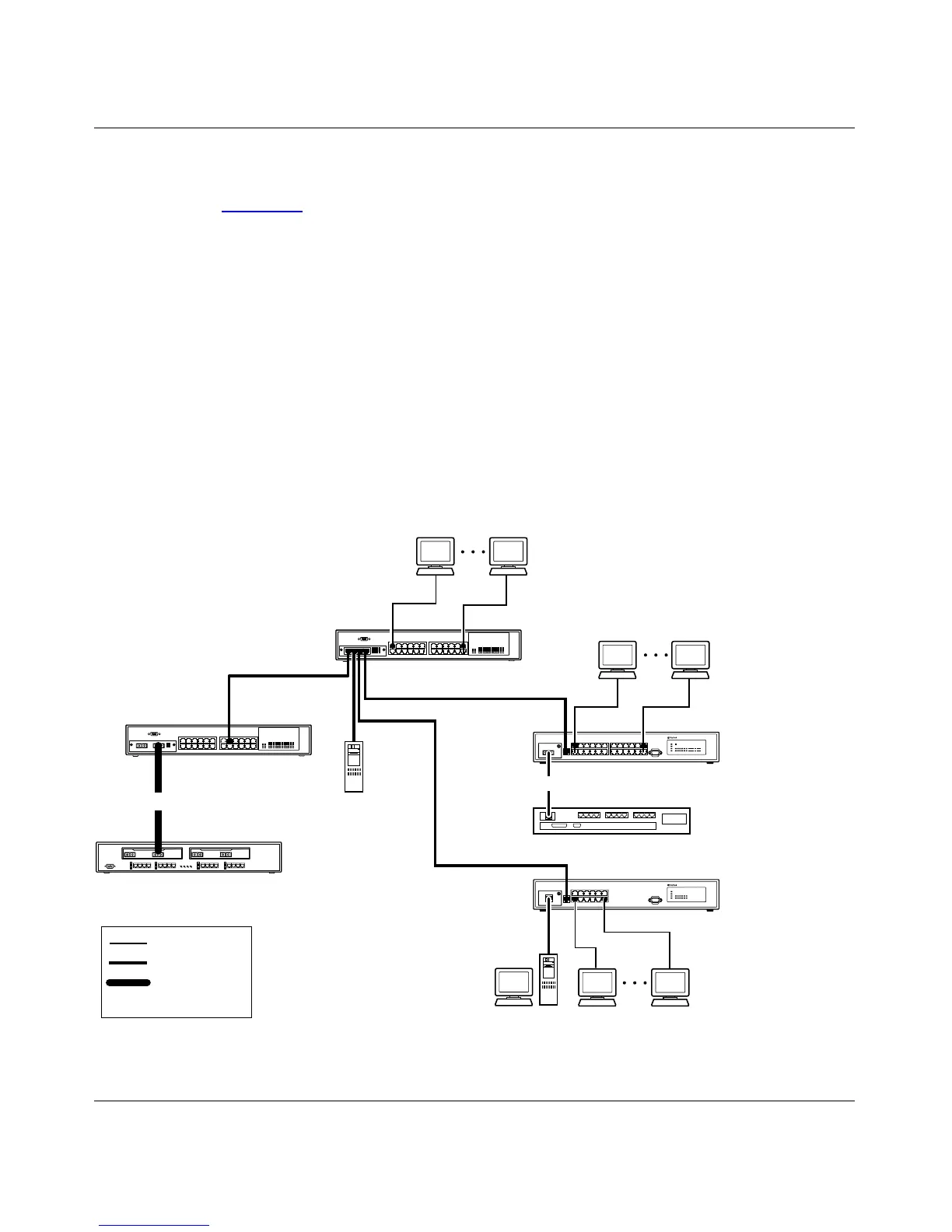
High-Density Switched Workgroup Application
Figure 1-8 shows a BayStack 410-24T switch using an (optional) 400-4TX MDA
to connect to a BayStack 450 switch. The Baystack 450 switch provides a
high-speed connection to a Nortel Networks Accelar
™
1100 switch. BayStack 303
and 304 switches are also shown in this high-density workgroup example.
The Accelar 1100 switch is used as a backbone switch, connecting to the
BayStack 450 switch configured with a gigabit (1000BASE-SX) MDA for
maximum bandwidth. The BayStack 303 and 304 switches have 100 Mb/s
connections to the BayStack 410-24T switch, a 100BASE-TX hub, and a
100 Mb/s server and 10 Mb/s connections to DTE (data terminal equipment).
See the Nortel Networks library Web page: support.baynetworks.com/library/ for
online documentation about the Nortel Networks Accelar 1100 switch and the
BayStack 303 and 304 switches.
Figure 1-8. Configuring Power Workgroups and a Shared Media Hub
303
BayStack 304
switch
BayStack 303
switch
100BASE-TX
hub
Key
10 Mb/s
100 Mb/s
1000 Mb/s
(Gigabit)
BayStack 410-24T
switch
Server
BS41007A
304
F
BayStack 450 switch
CPU PS1 PS2 FAN
Accelar switch
F














 To Next Page